Loading...

Back to Library
Software
Saab EPC (Electronic Parts Catalog)
Technical reference for identifying every component and part number via VIN.
Description
Technical Procedure
EPC Guide
The Electronic Parts Catalog (EPC) is the technical reference for identifying vehicle components. Using the Vehicle Identification Number (VIN), it provides access to exploded views and exact part numbers, helping avoid compatibility issues when ordering spare parts. This guide covers installation and basic navigation through the diagrams.
1
Starting the installation
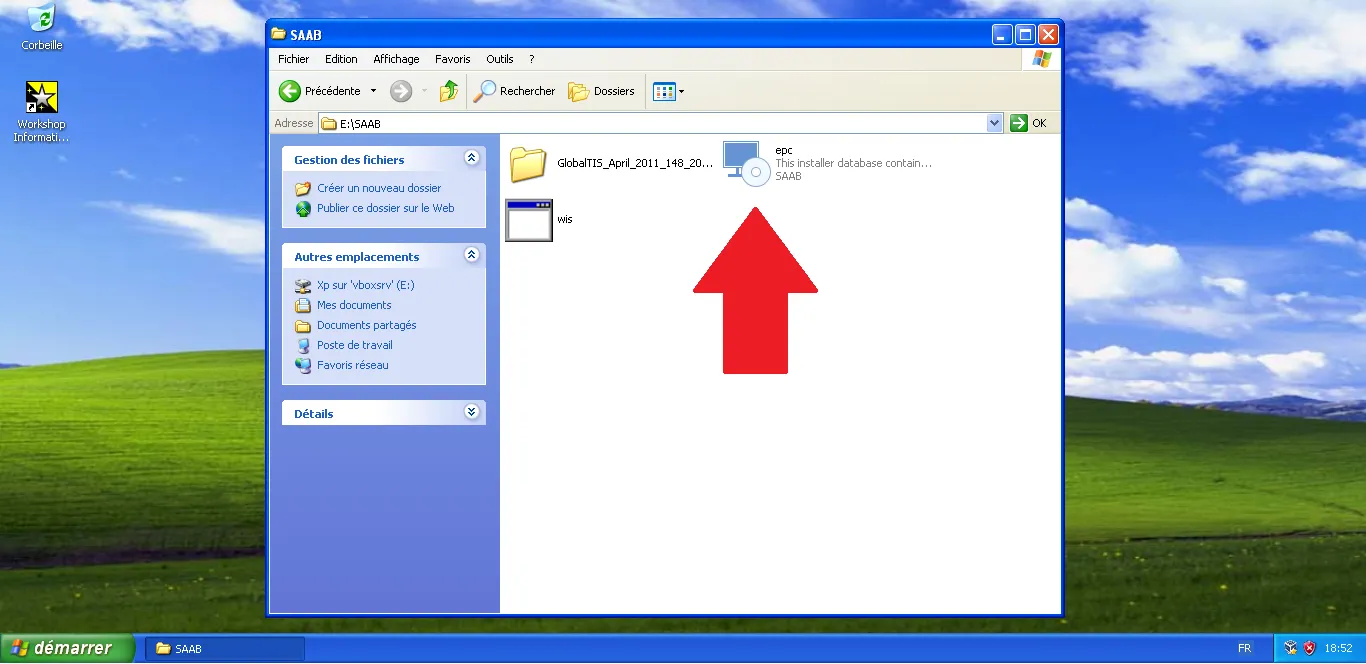
Open the SAAB directory on your virtual drive and locate the executable named 'epc'. Double-click it to launch the installation wizard.
Step Visual Reference
2
Monitoring installation progress
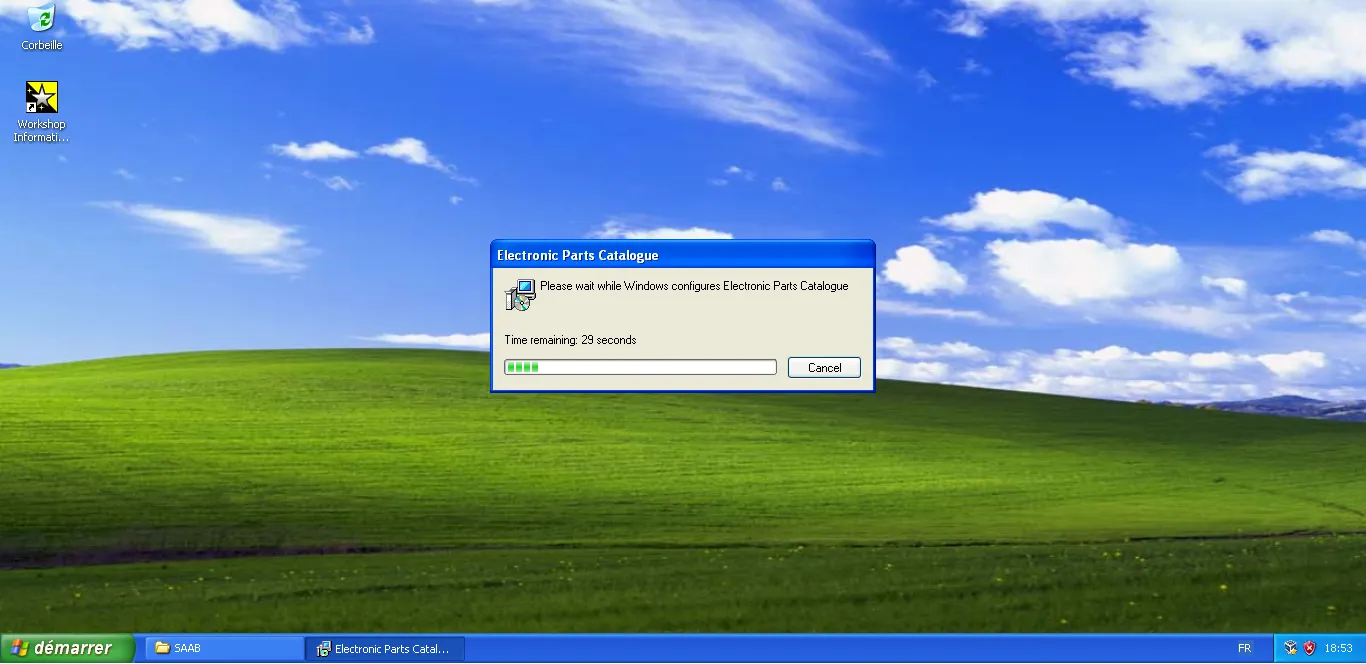
The installer configures the catalog components. Wait for the progress bar to complete; this step prepares the local database.
Step Visual Reference
3
Launching the application
Once installation is finished, find the new 'Electronic Parts Catalogue' shortcut created on your Windows XP desktop and open it.
Step Visual Reference

4
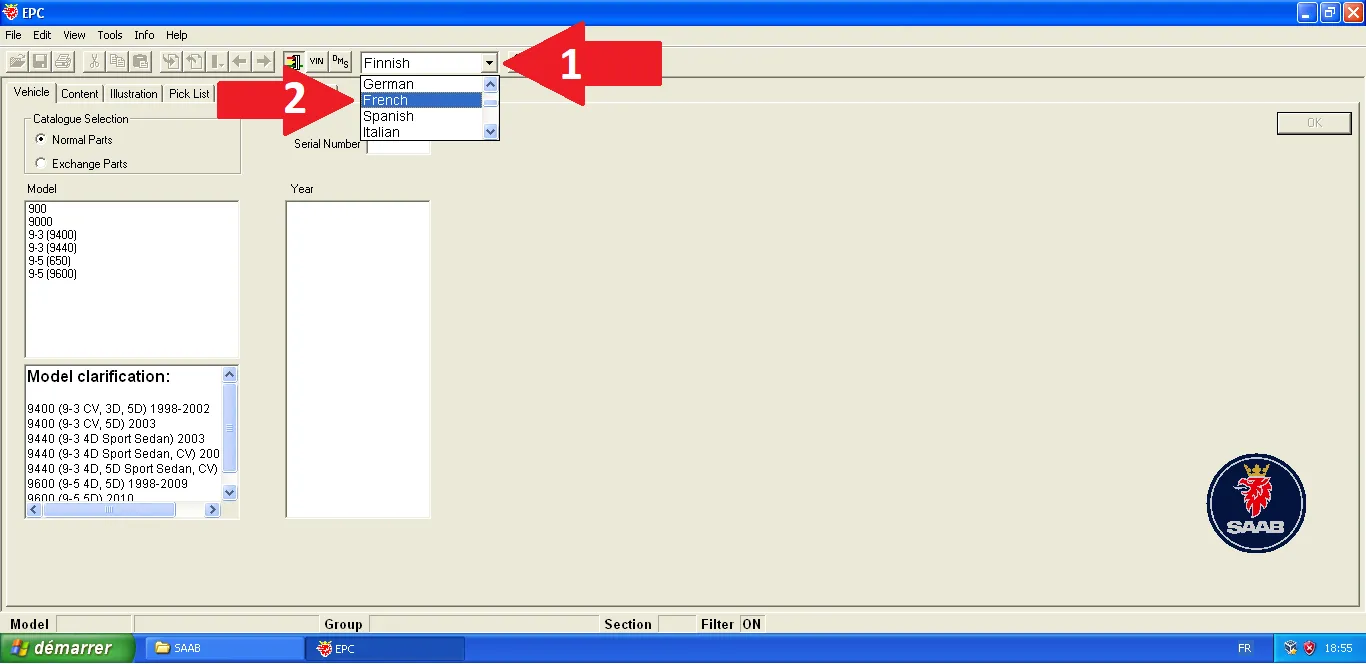
Language configuration
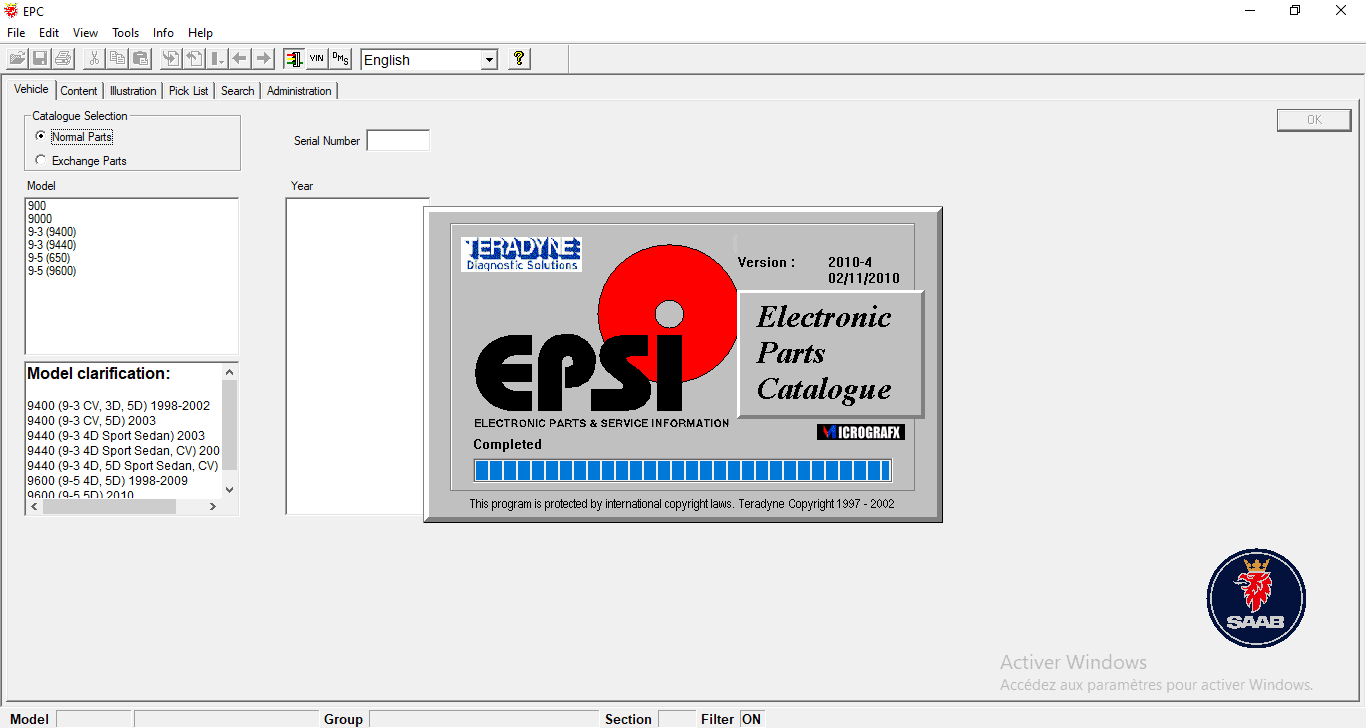
On first launch, access the language selection menu. Choose 'French' to switch the interface and part names to French.
Step Visual Reference
5
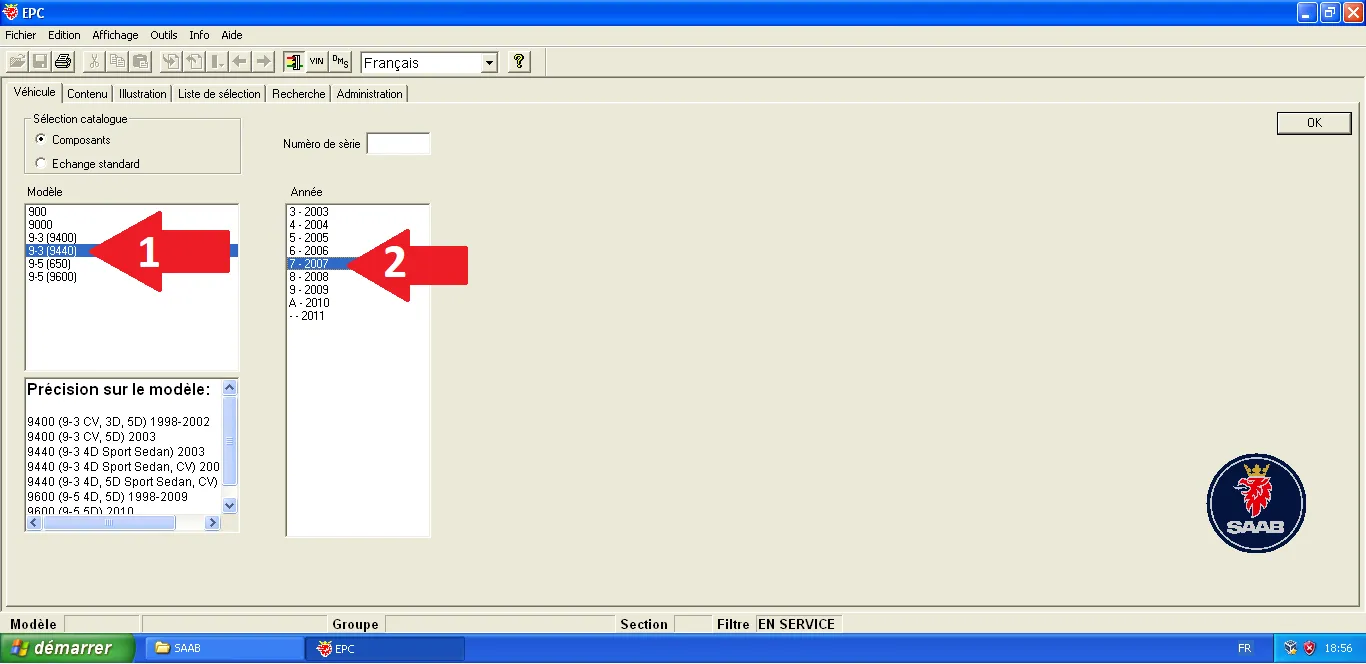
Filtering by model
For accurate results, select your model (e.g., 9-3 9440) and production year. This will filter the exploded views specific to your chassis.
Step Visual Reference
6
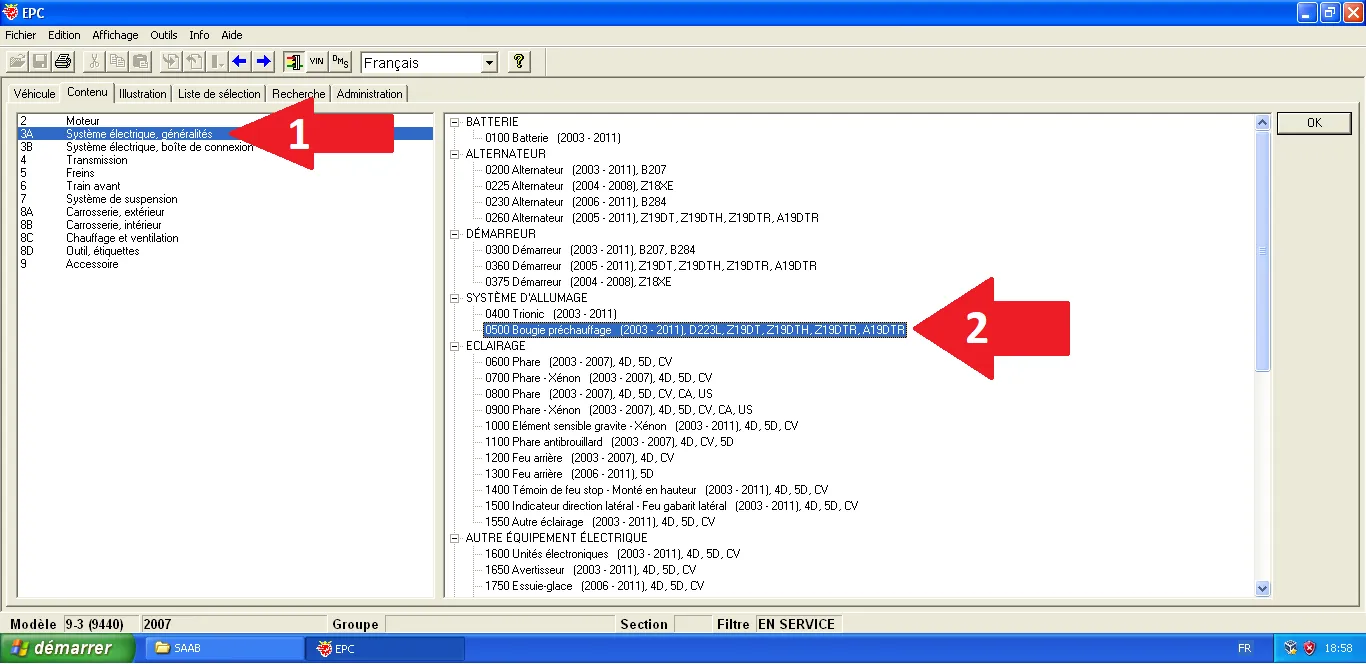
Navigating technical categories
Use the tree structure on the left to browse systems. For example, select 'Electrical System' to find components related to glow plugs.
Step Visual Reference
7
Identifying references
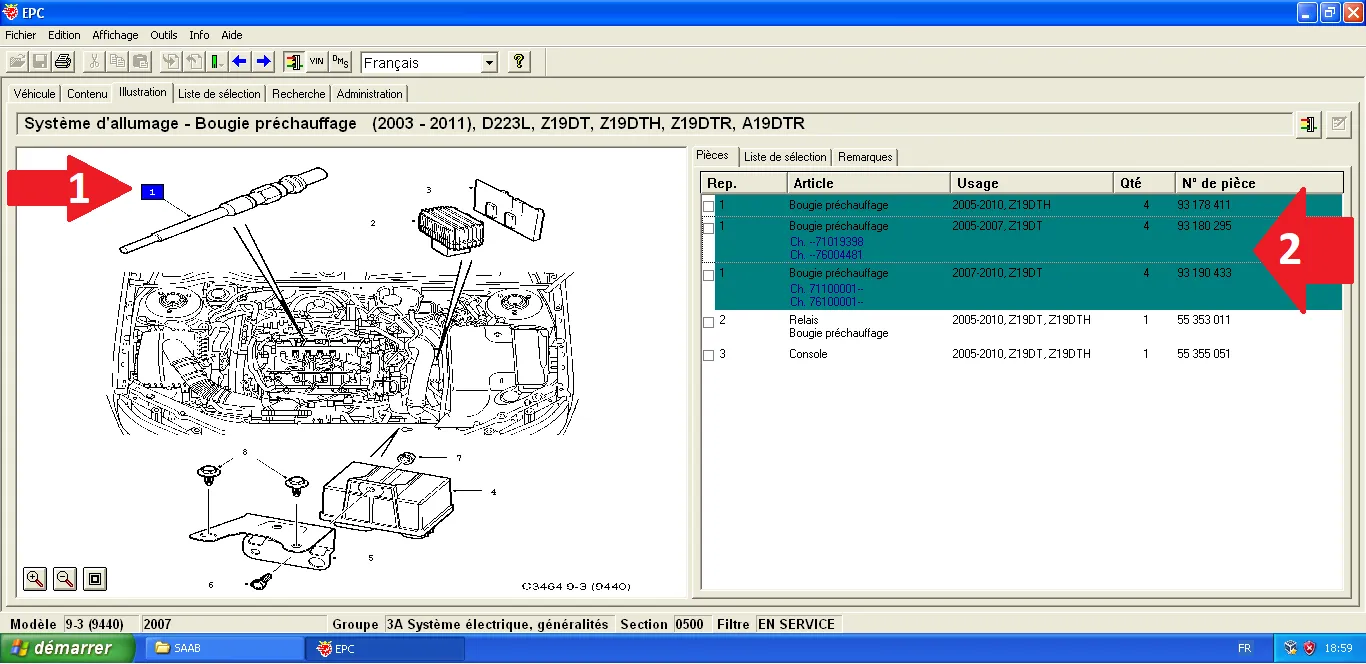
Consult the illustration to locate the component. The number on the diagram matches the line in the table on the right, providing the exact reference to order.
Step Visual Reference