Loading...

Back to Library
Software
GM DPS (Development Programming System)
Professional engineering tool for flash programming and ECU development.
Description
Technical Procedure
GM DPS Guide
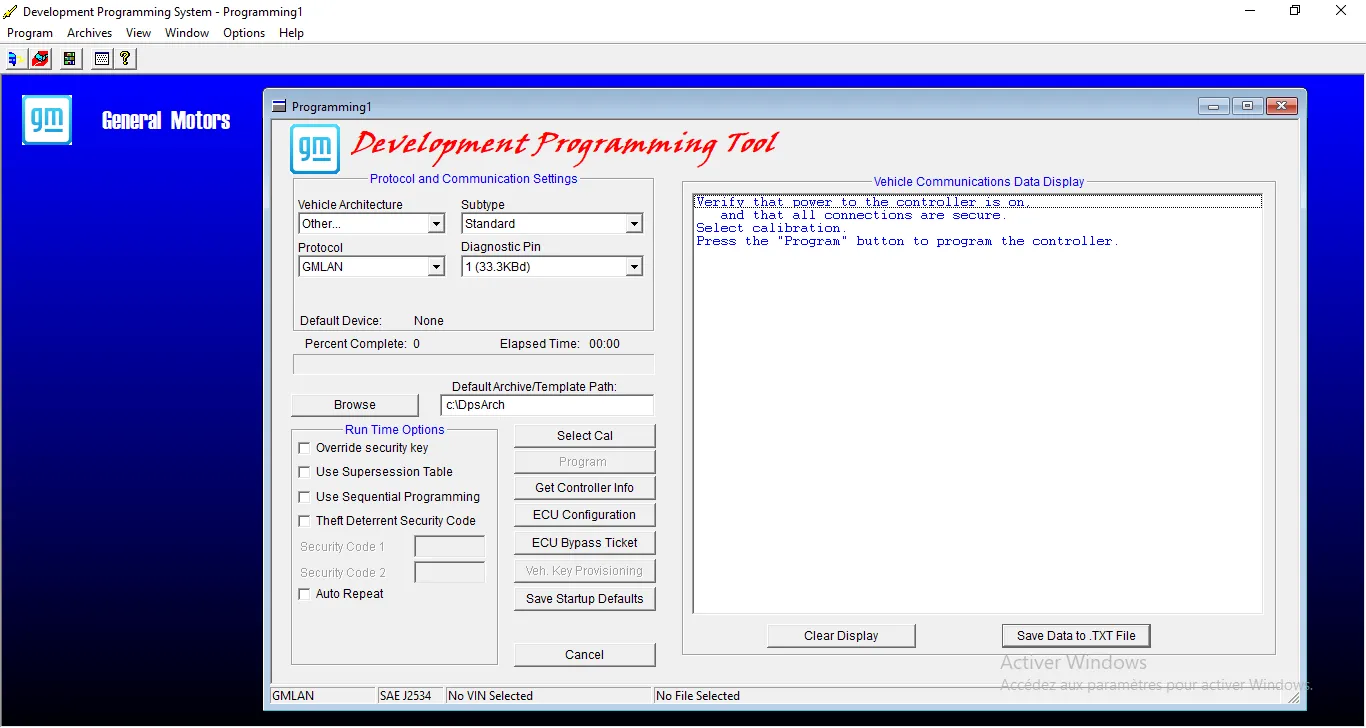
The GM Development Programming System (DPS) is a 'low-level' engineering tool. Unlike SPS which guides the user, DPS offers direct control over flashing and reading ECUs (RAW flash). It is a powerful tool, often used to force updates on stubborn modules or for development work. Note: It is intended for advanced users as it allows bypassing standard safety checks. This guide details the installation and essential certificate import.
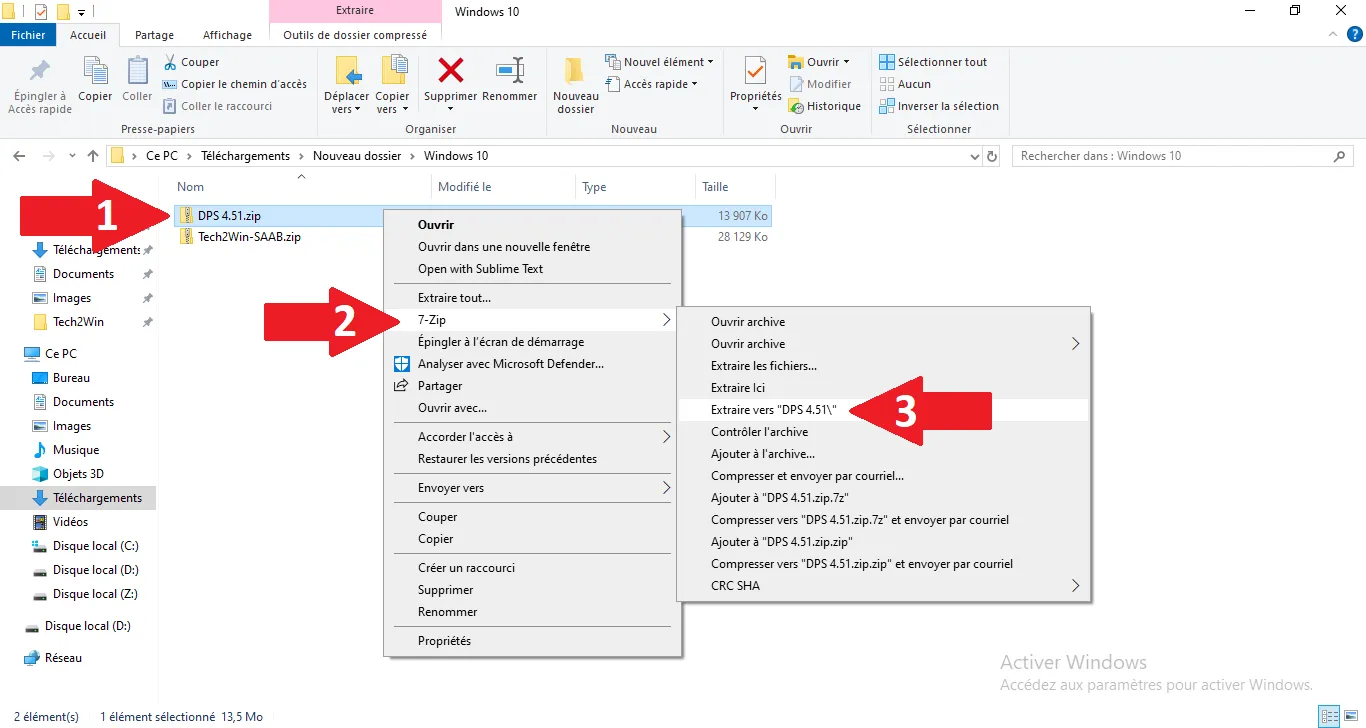
1
Extract archive
Extracting source files for GM DPS.
Step Visual Reference
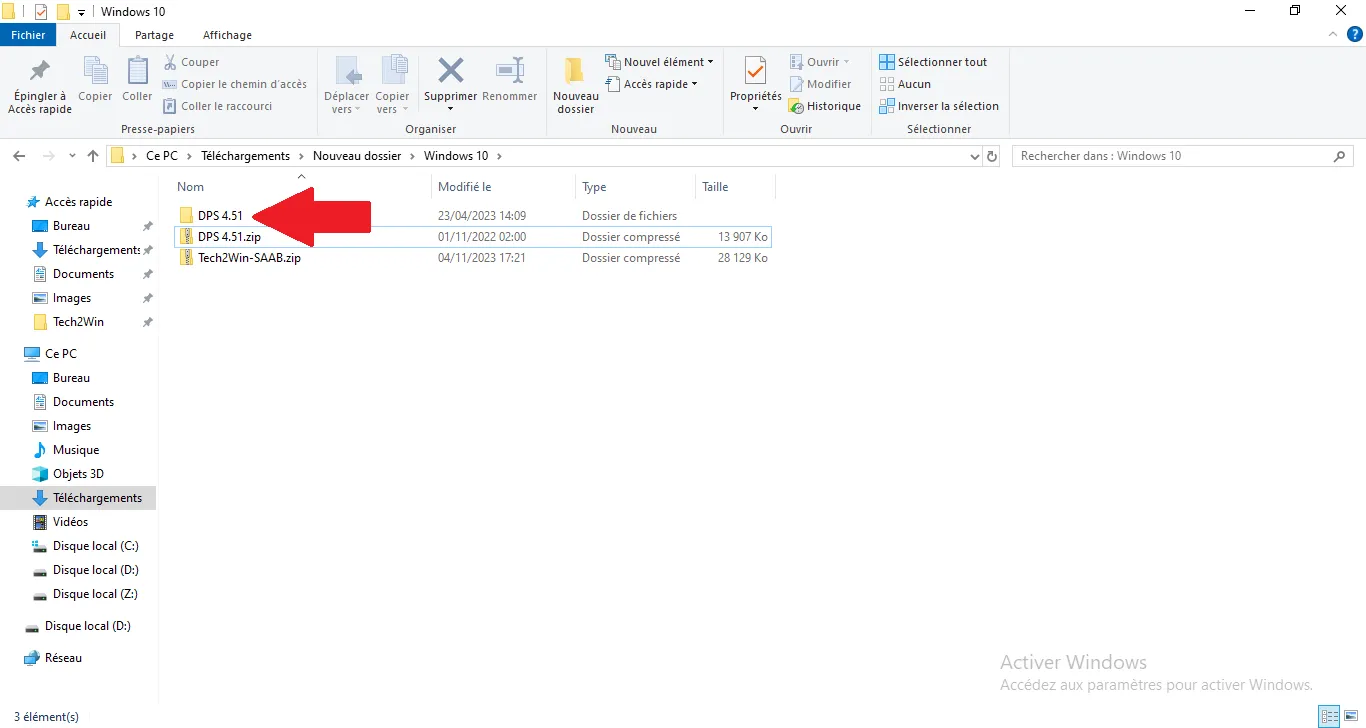
2
Open extracted folder
Accessing the directory containing the installation components.
Step Visual Reference
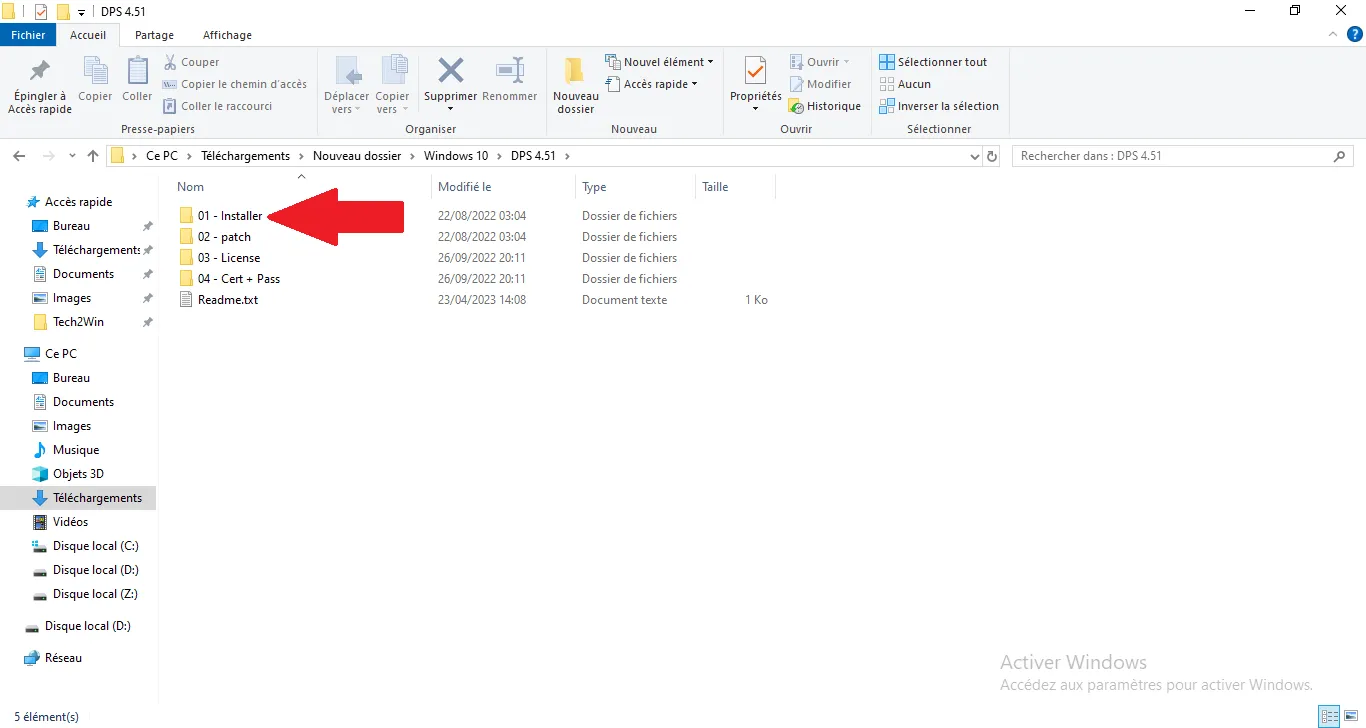
3
Access Installer folder
Navigating to the folder dedicated to the setup executable.
Step Visual Reference
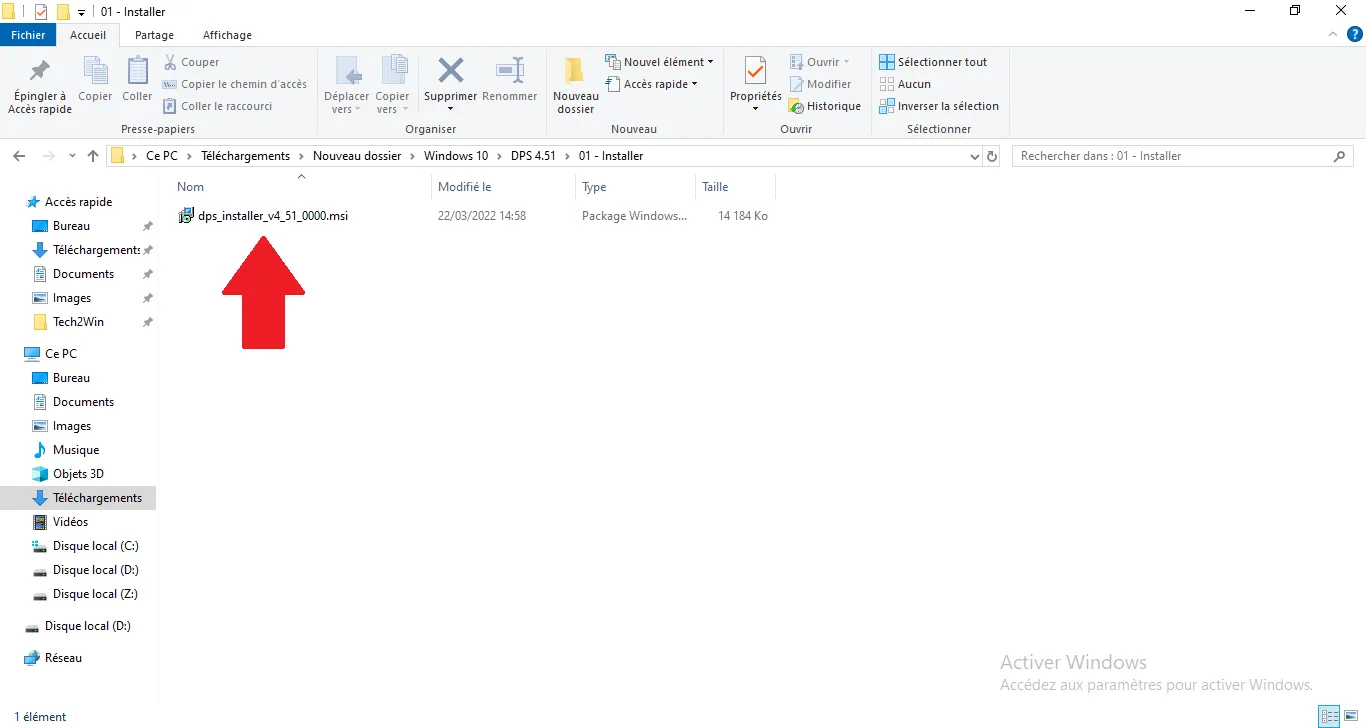
4
Launch setup
Running the installer to start the software procedure.
Step Visual Reference
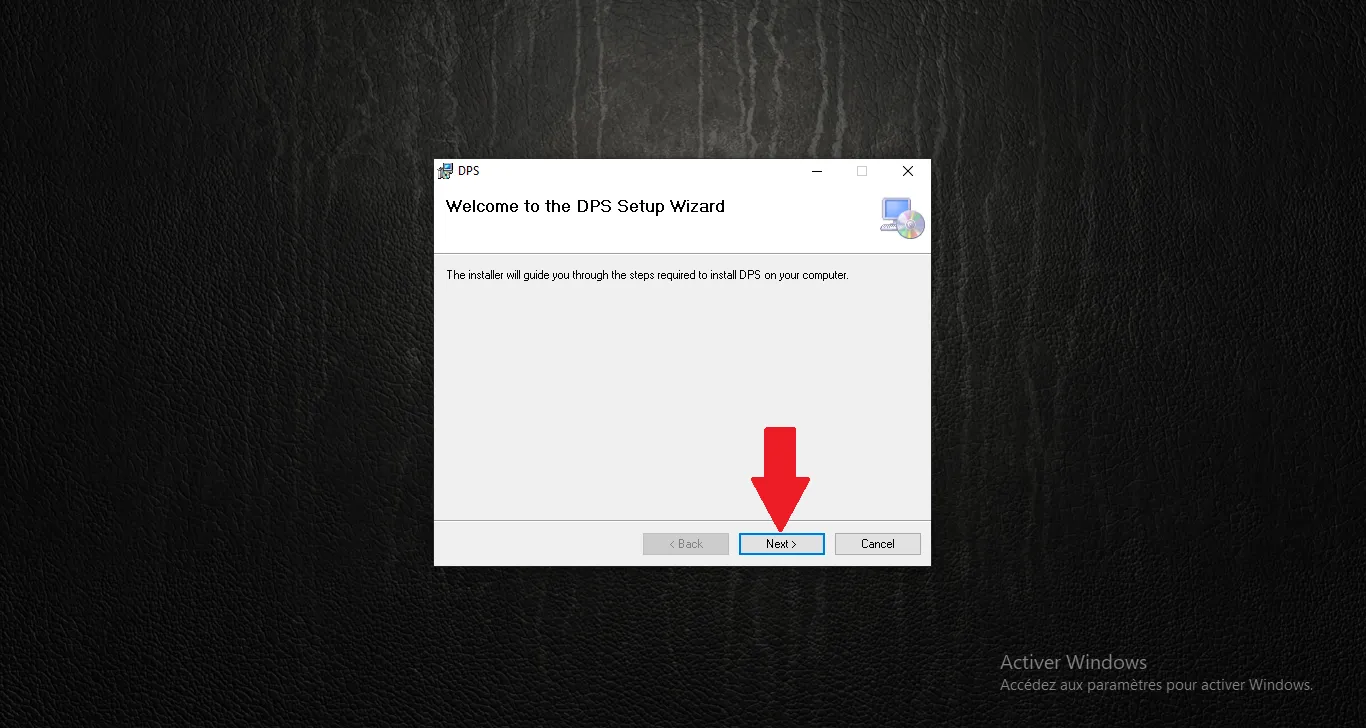
5
Welcome screen
First screen of the GM DPS installation wizard.
Step Visual Reference
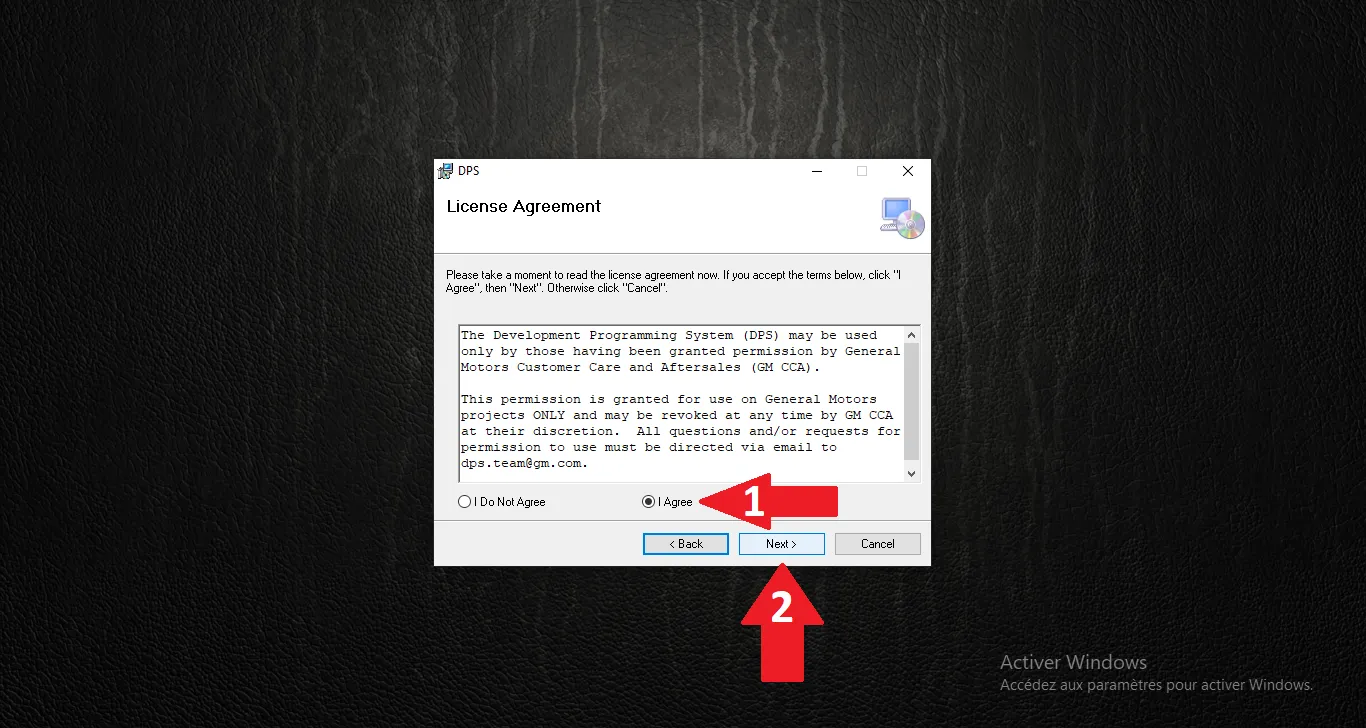
6
Accept license
Reading and accepting the terms of the license agreement.
Step Visual Reference
7
Destination folder
Keep the default folder and click Next.
Step Visual Reference
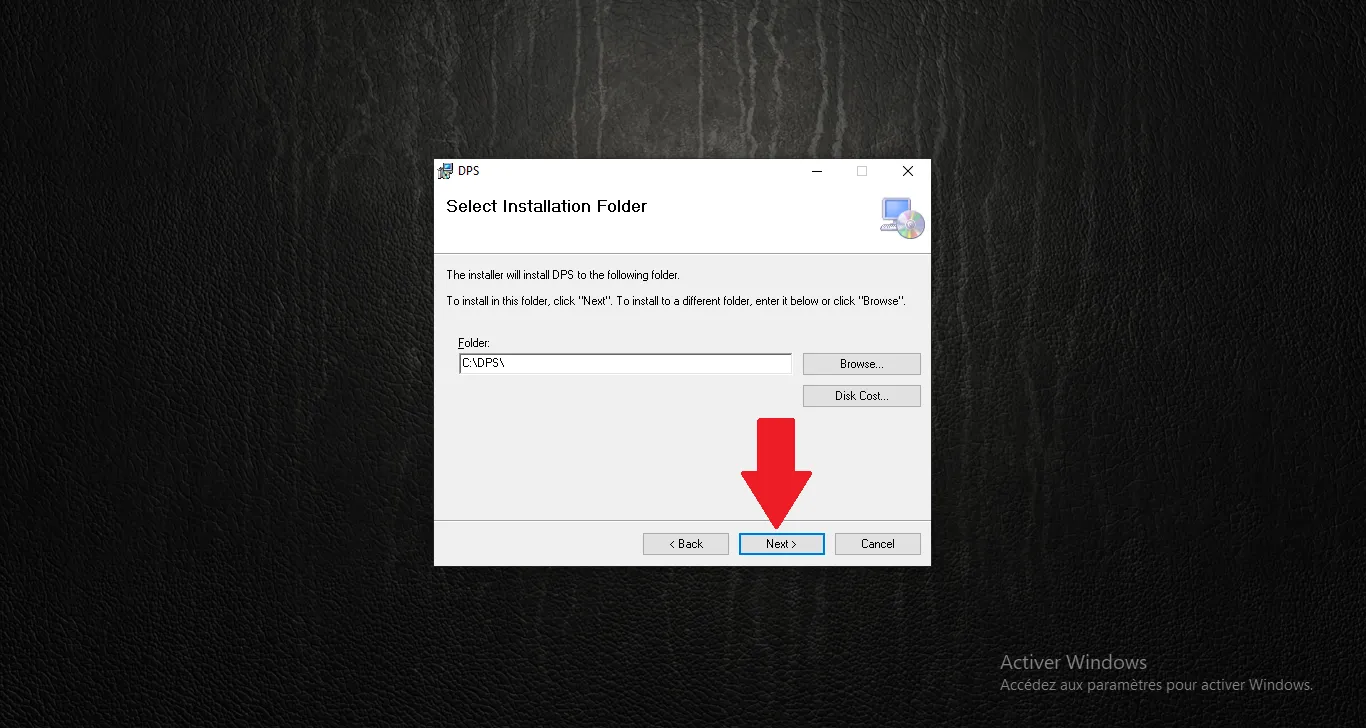
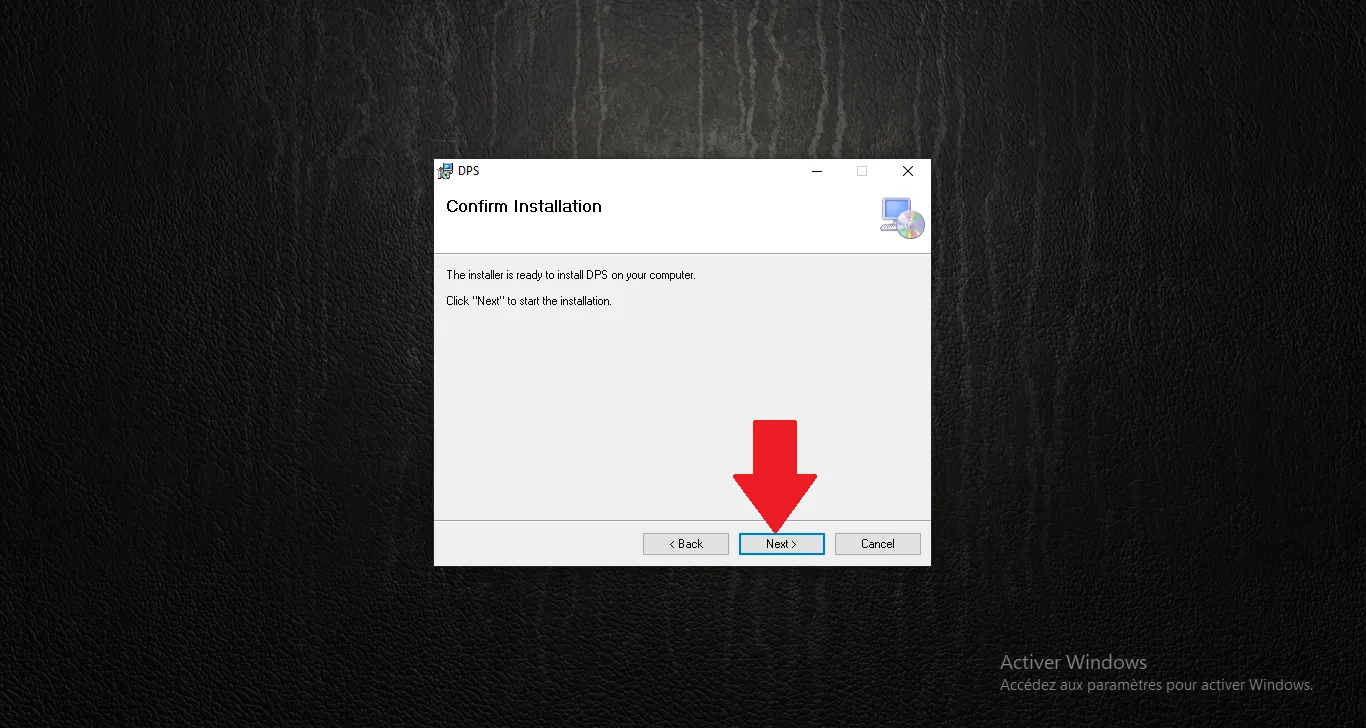
8
Confirm installation
Final validation to start file writing.
Step Visual Reference
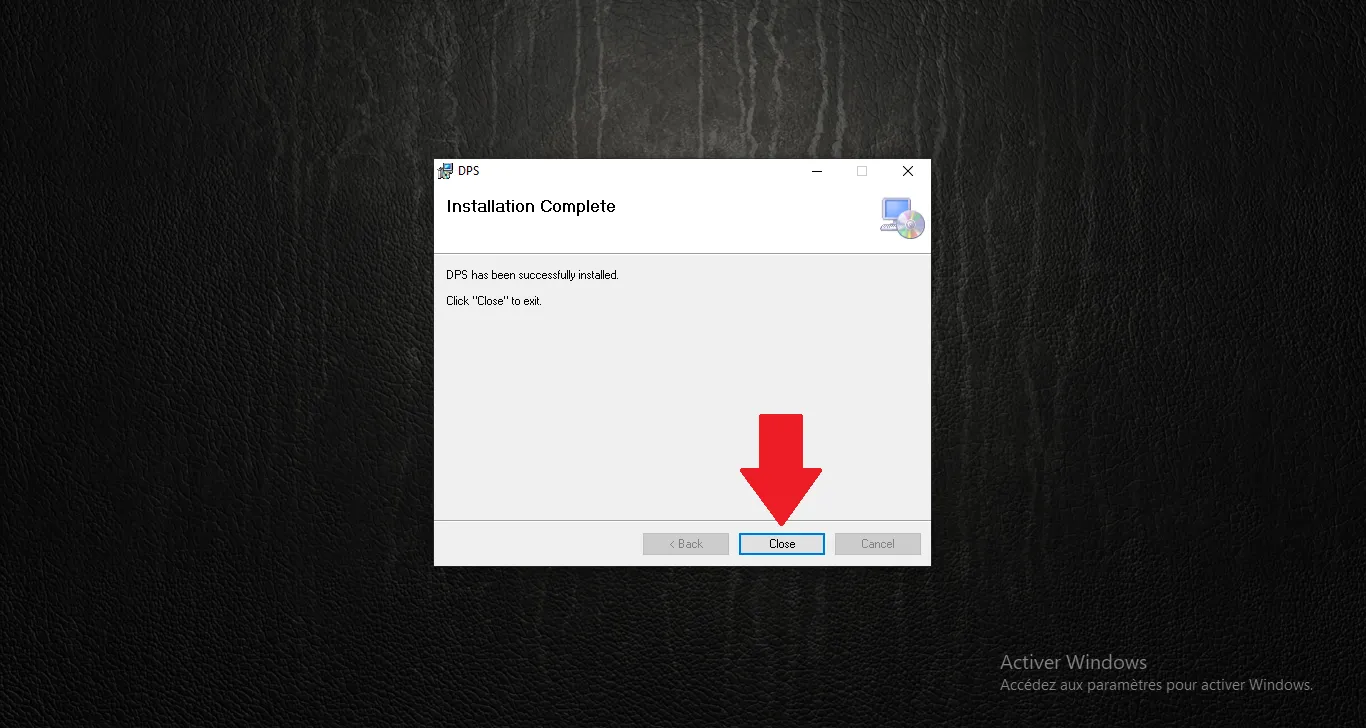
9
Setup finished
Process is complete, click Close to exit.
Step Visual Reference
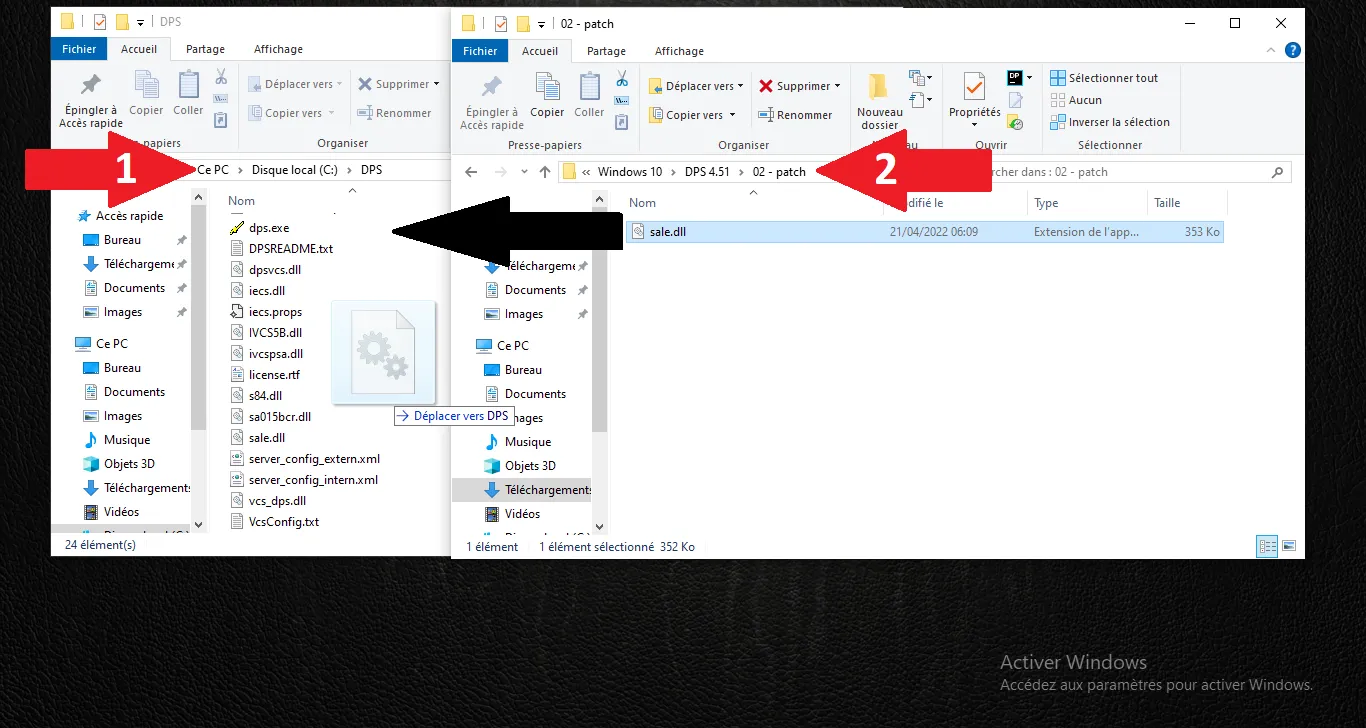
10
Apply patch (sale.dll)
Copy sale.dll from Patch folder to C:\dps.
Step Visual Reference
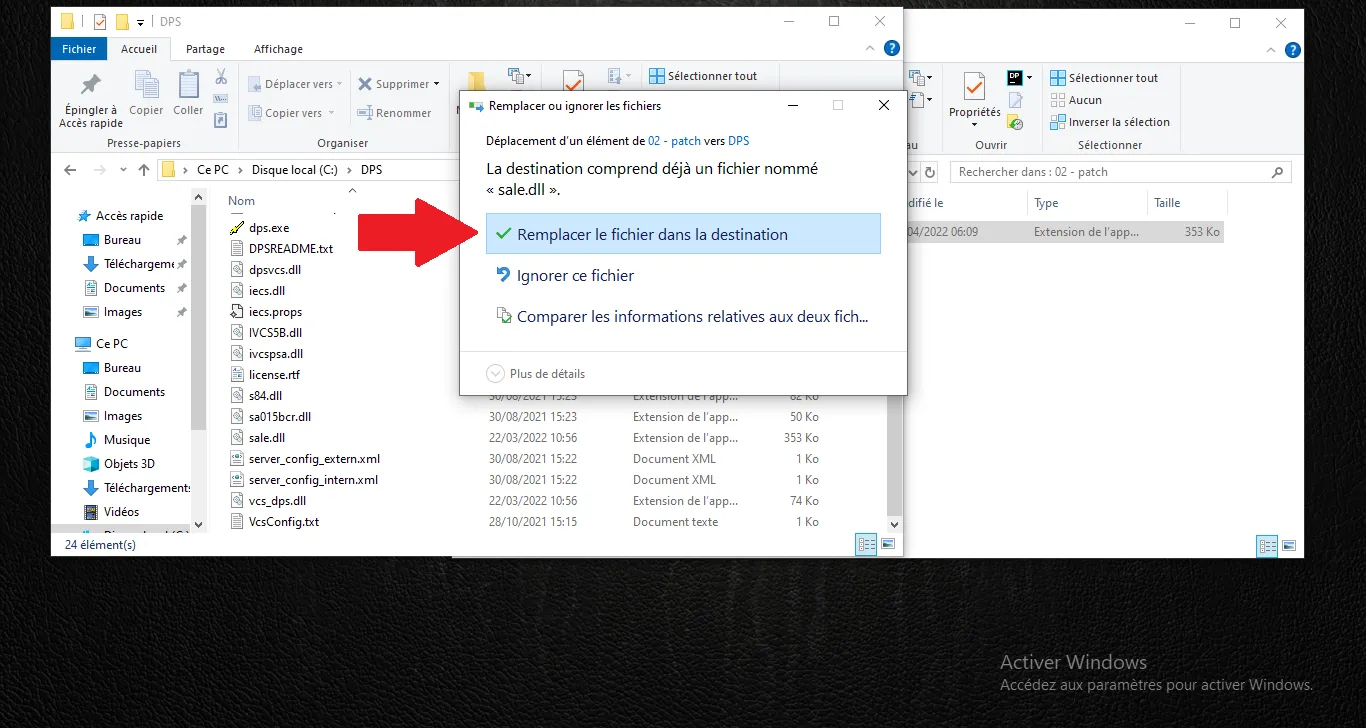
11
Confirm replacement
Replace the existing file with the patched version.
Step Visual Reference
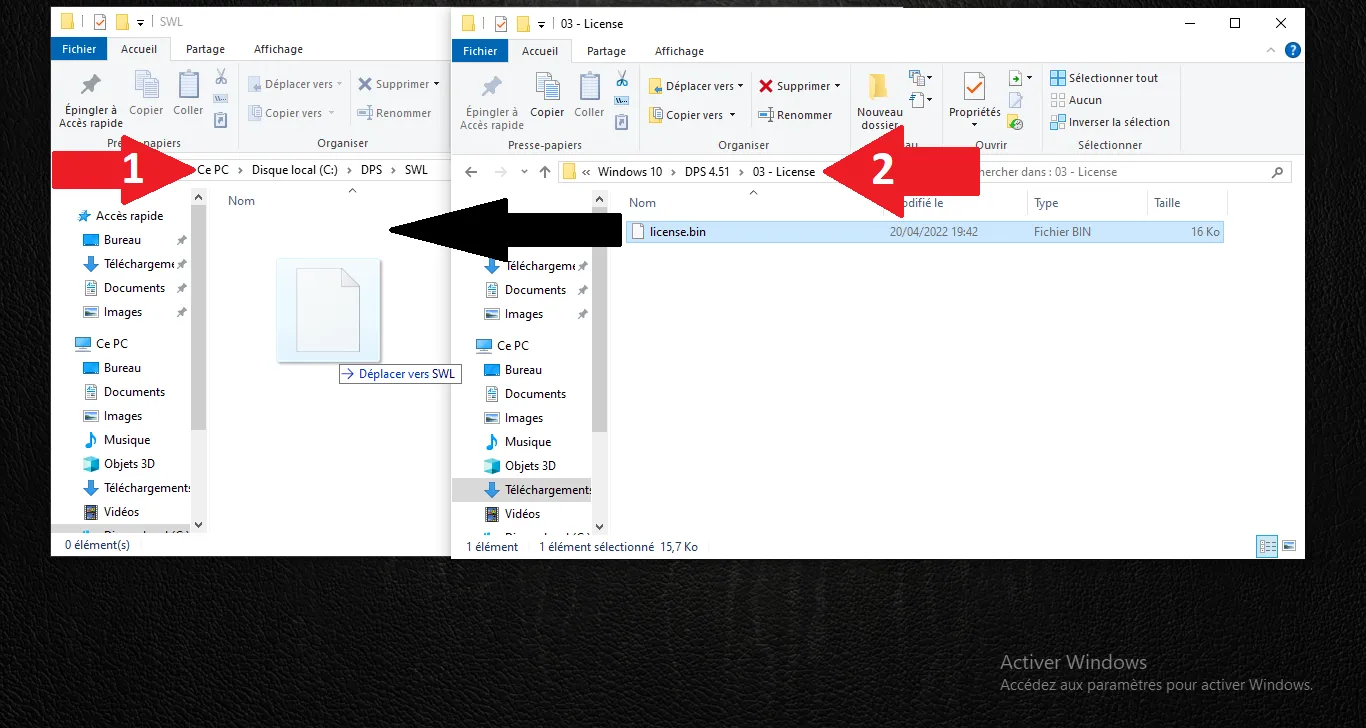
12
Install license
Copy the .bin file from 03-license to C:\dps\swl.
Step Visual Reference
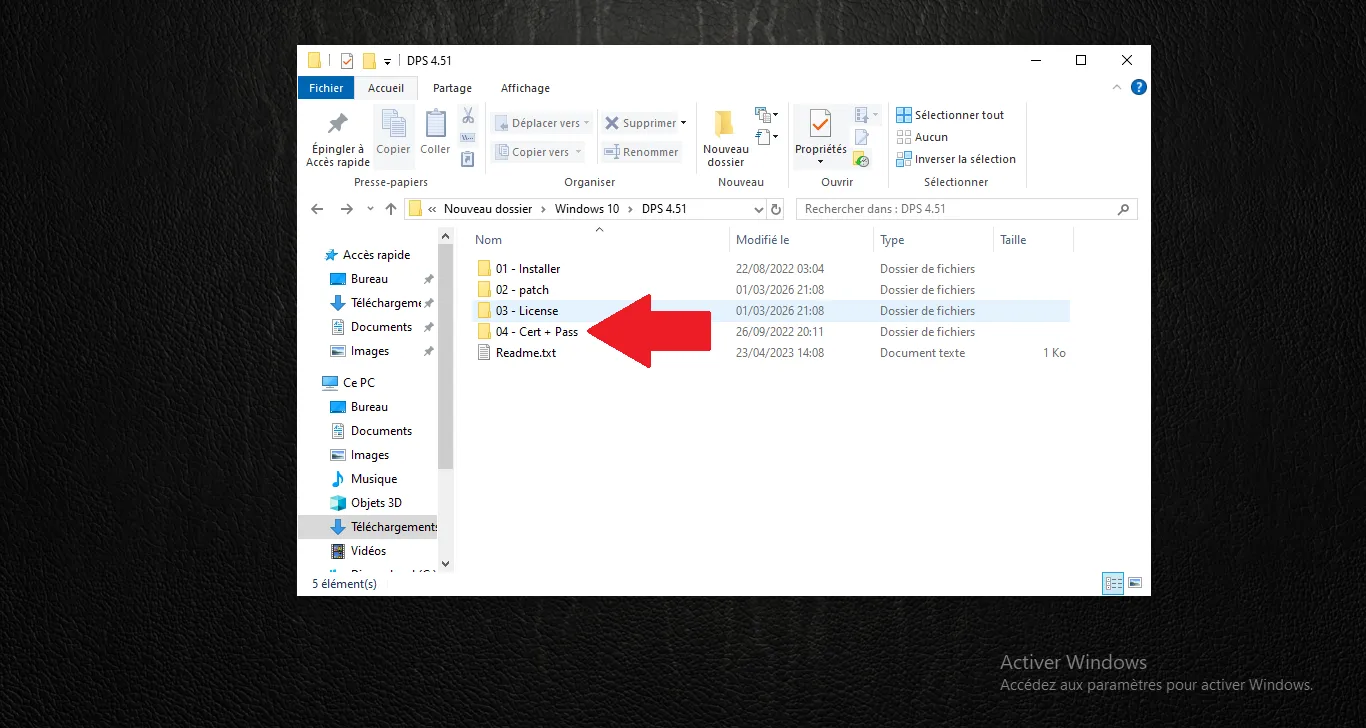
13
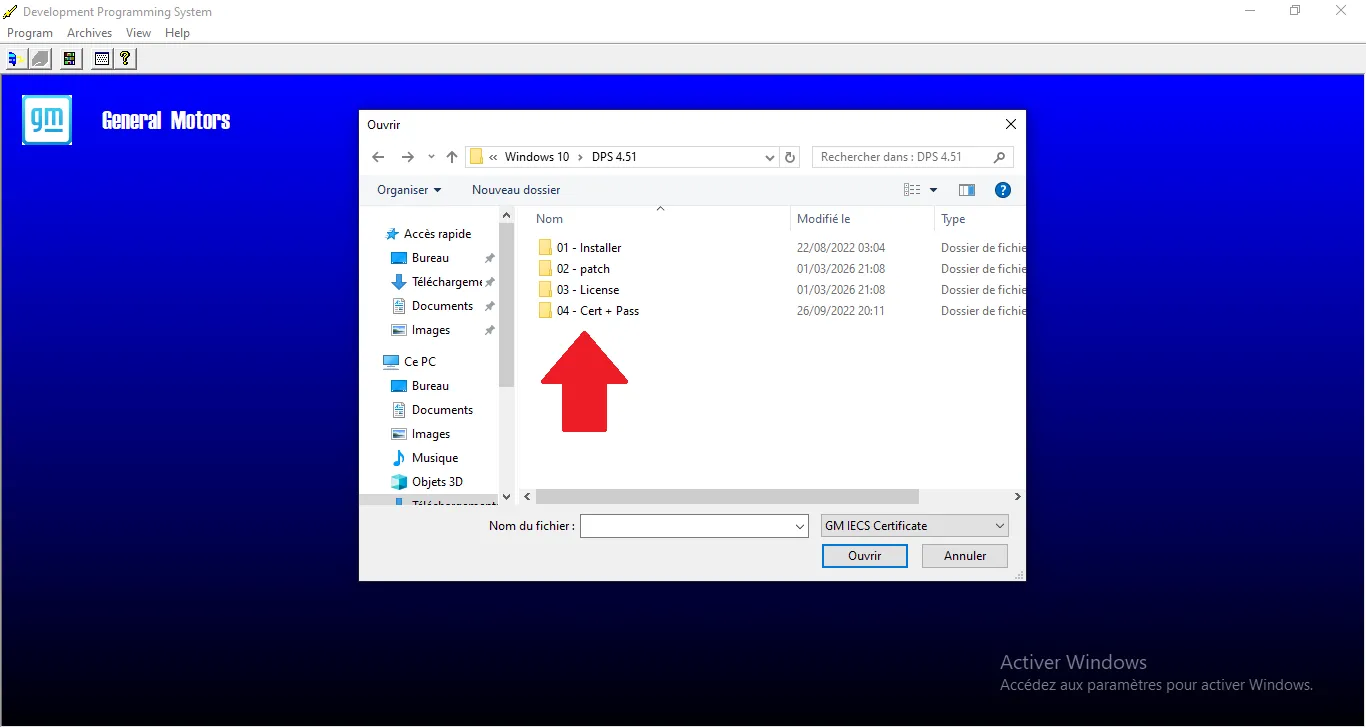
Certificate setup
Locate the certificate files and the password.
Step Visual Reference
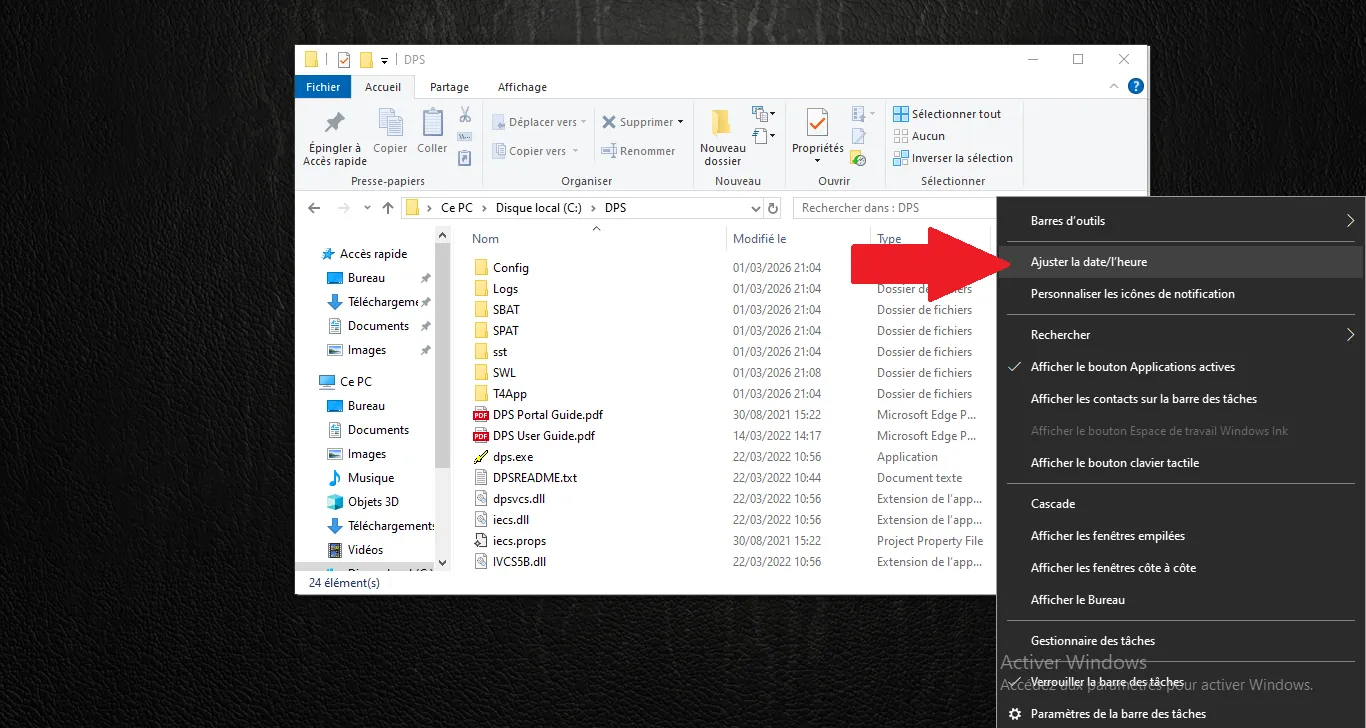
14
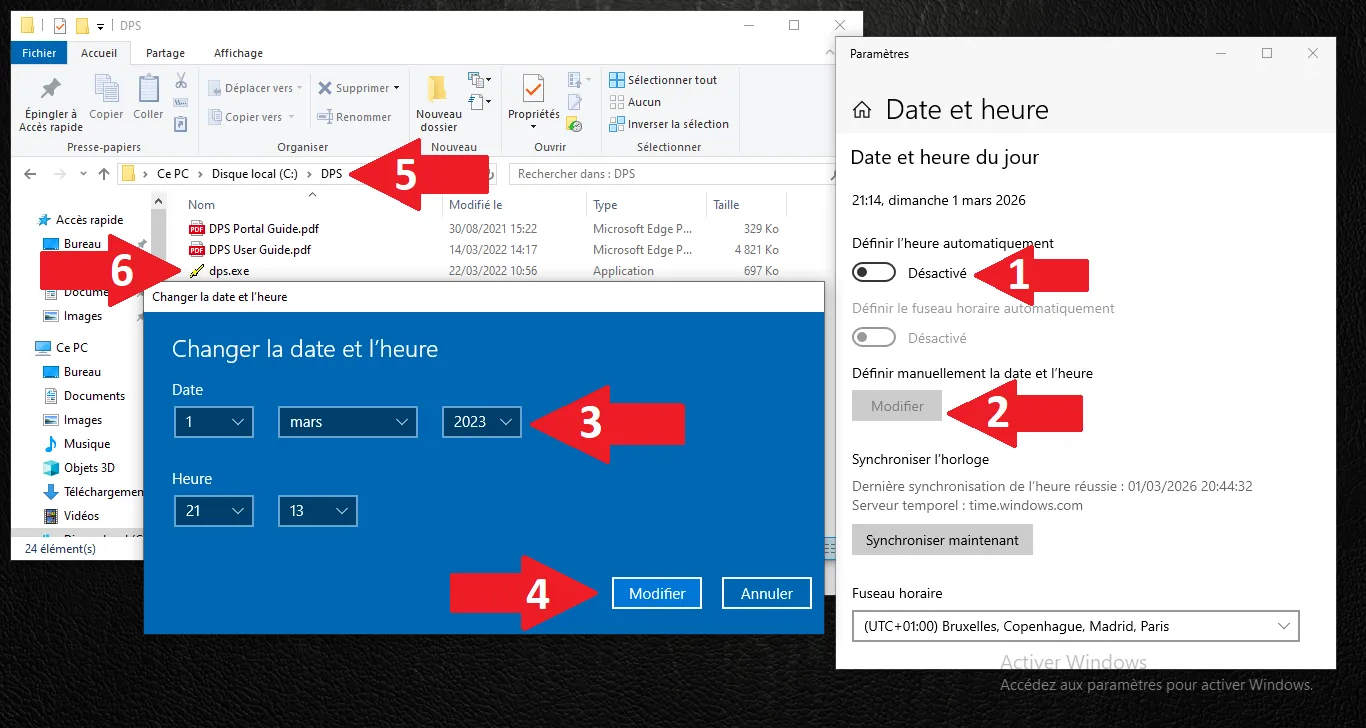
System time settings
Open system date and time settings.
Step Visual Reference
15
Set date before 2024
Set a date before 2024 (e.g., 2021) before opening DPS.
Step Visual Reference
16
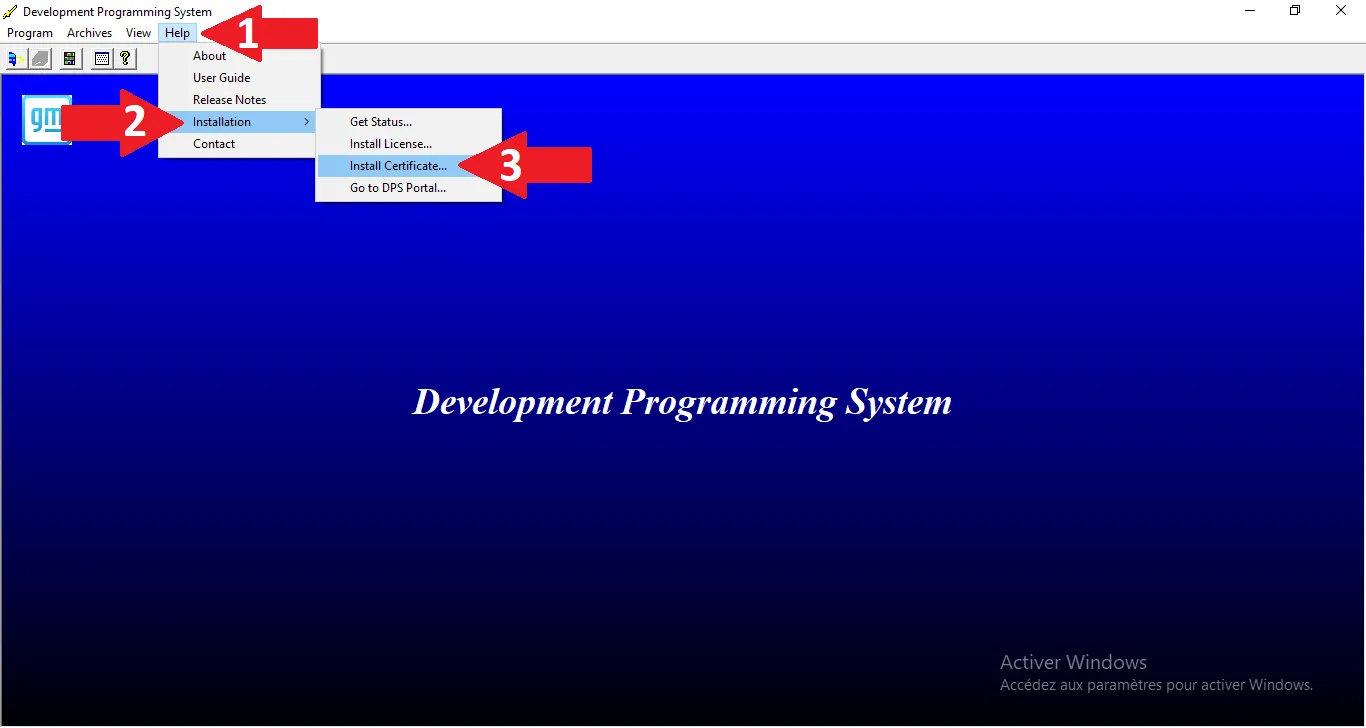
Install certificate
In DPS: Help -> Installation -> Install Certificate.
Step Visual Reference
17
Pick certificate
Select the directory containing the PFX certificate.
Step Visual Reference
18
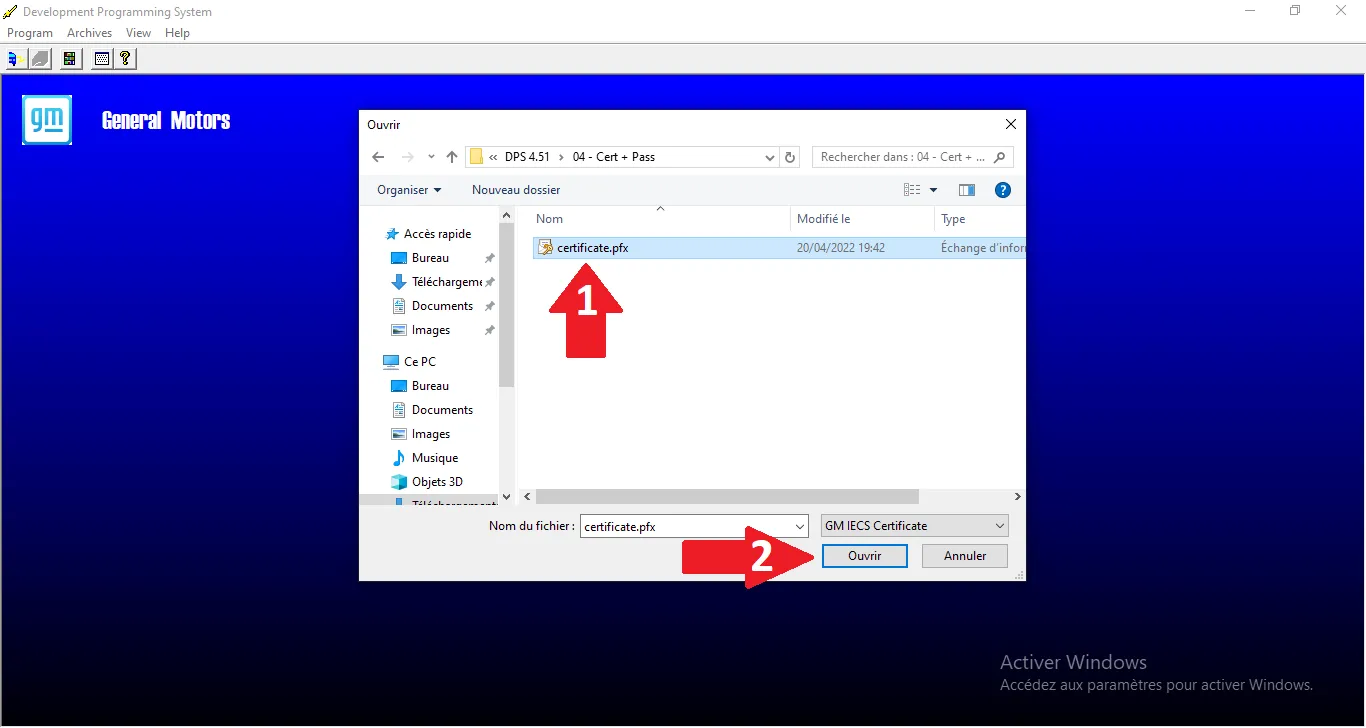
Open certificate.pfx
Select the file and click Open.
Step Visual Reference
19
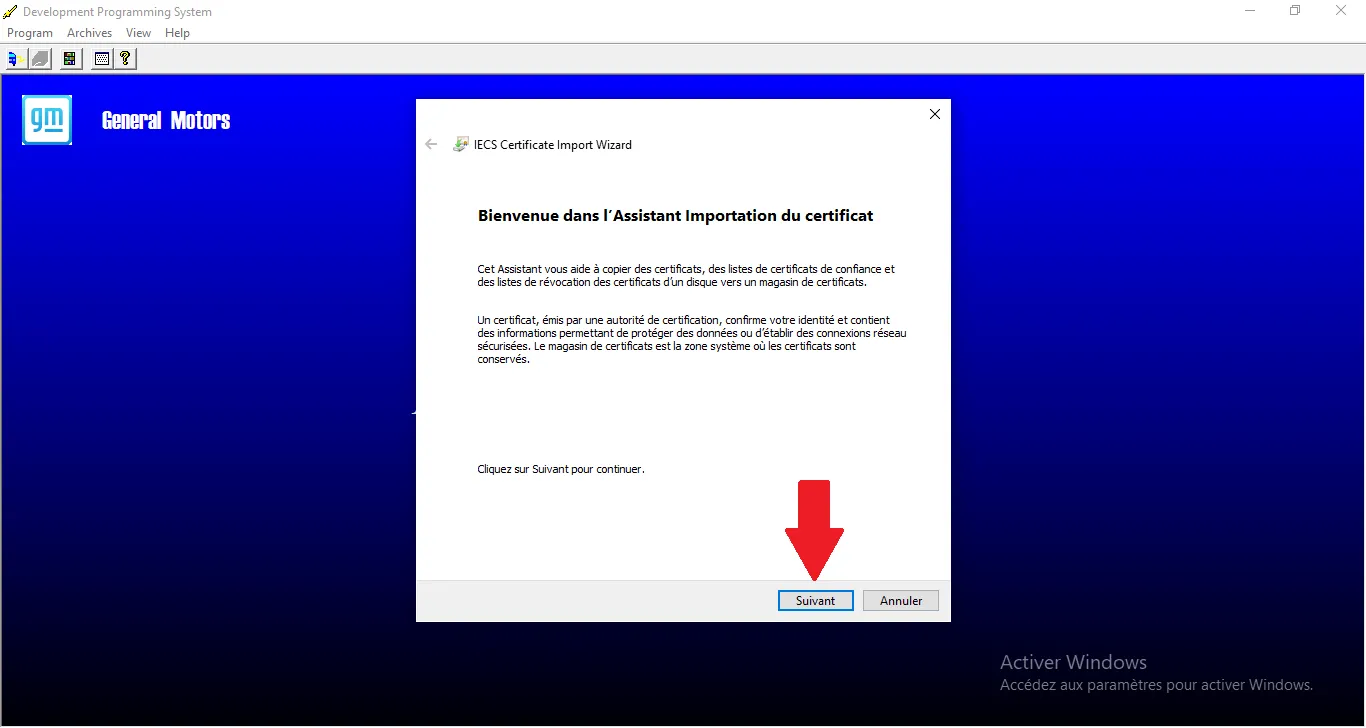
Import wizard
Import welcome screen, click Next.
Step Visual Reference
20
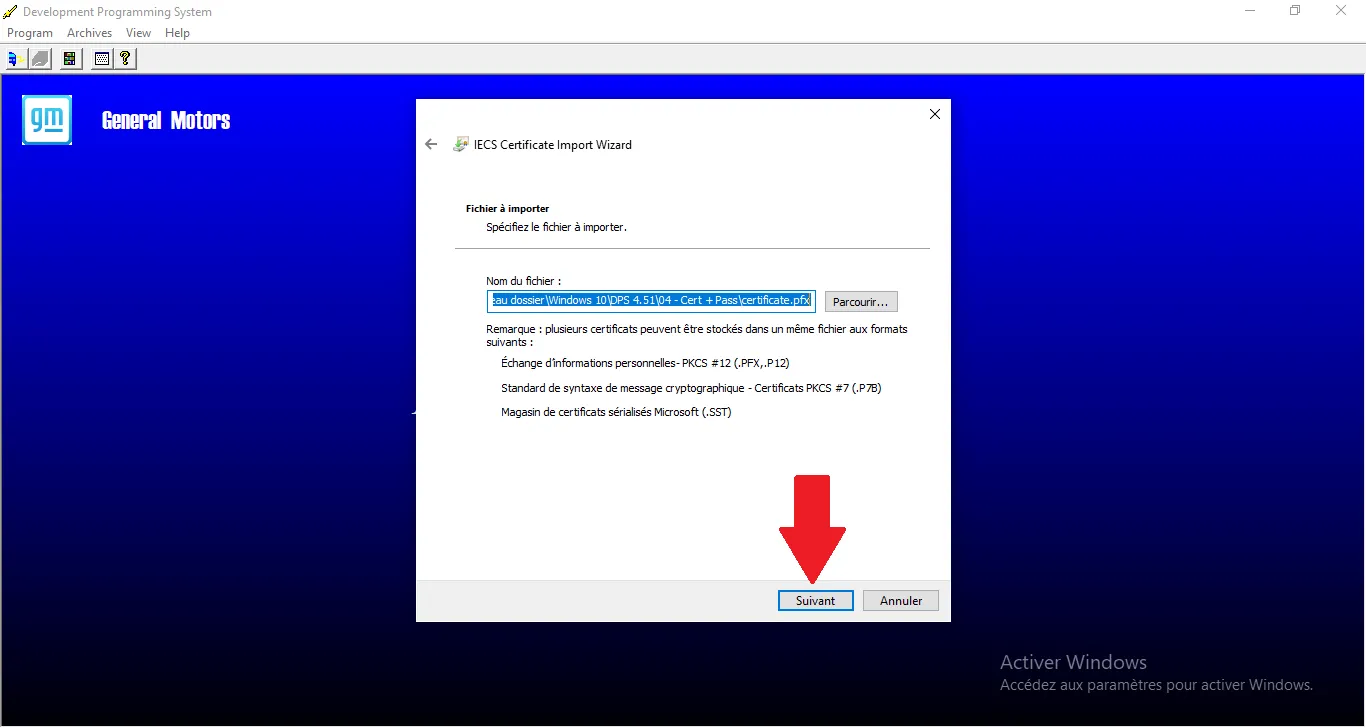
File to import
Confirm source file, click Next.
Step Visual Reference
21
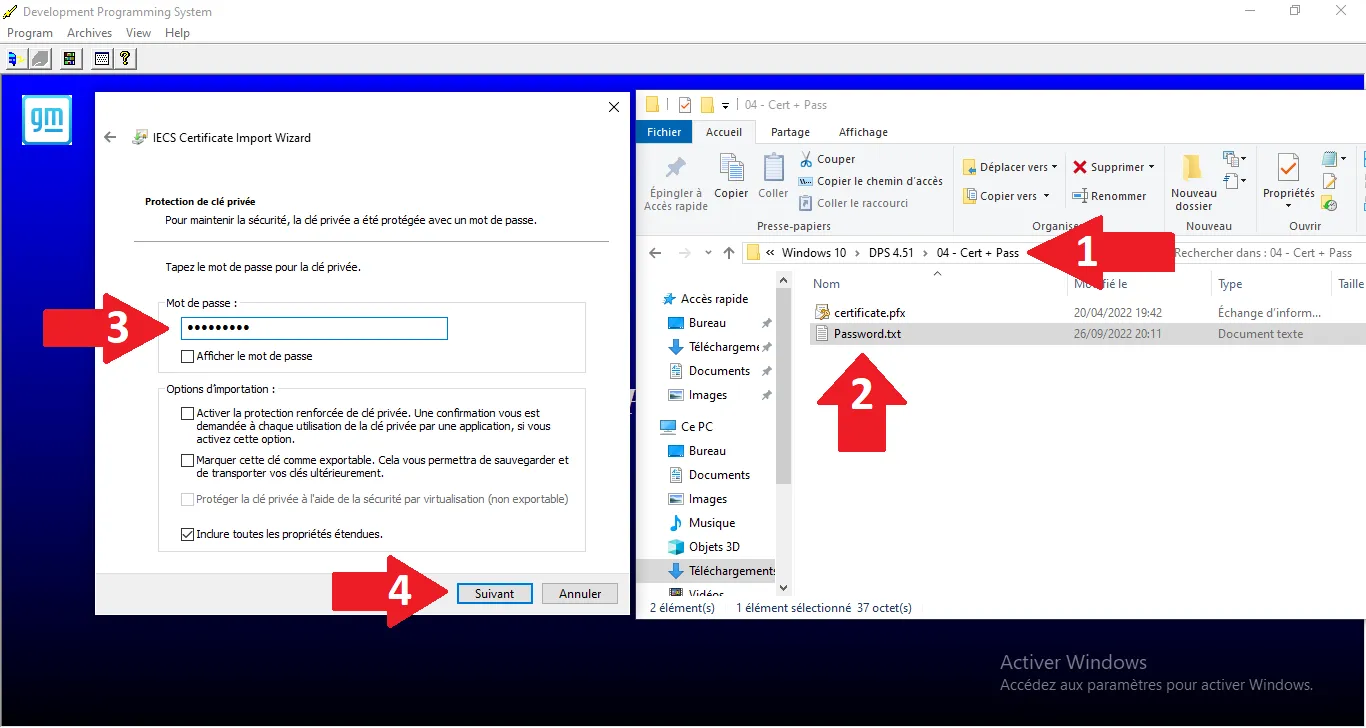
Enter password
Copy password from password.txt and confirm.
Step Visual Reference
22
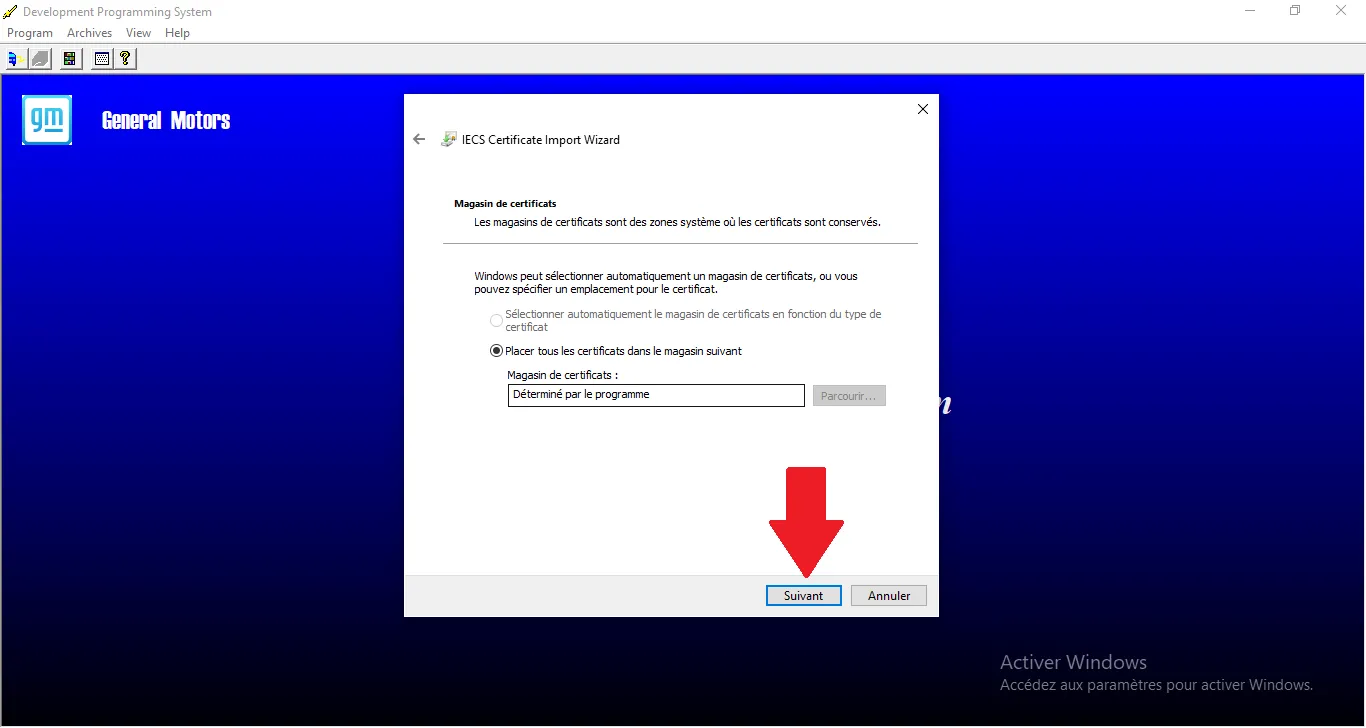
Cert store
Leave automatic selection and click Next.
Step Visual Reference
23
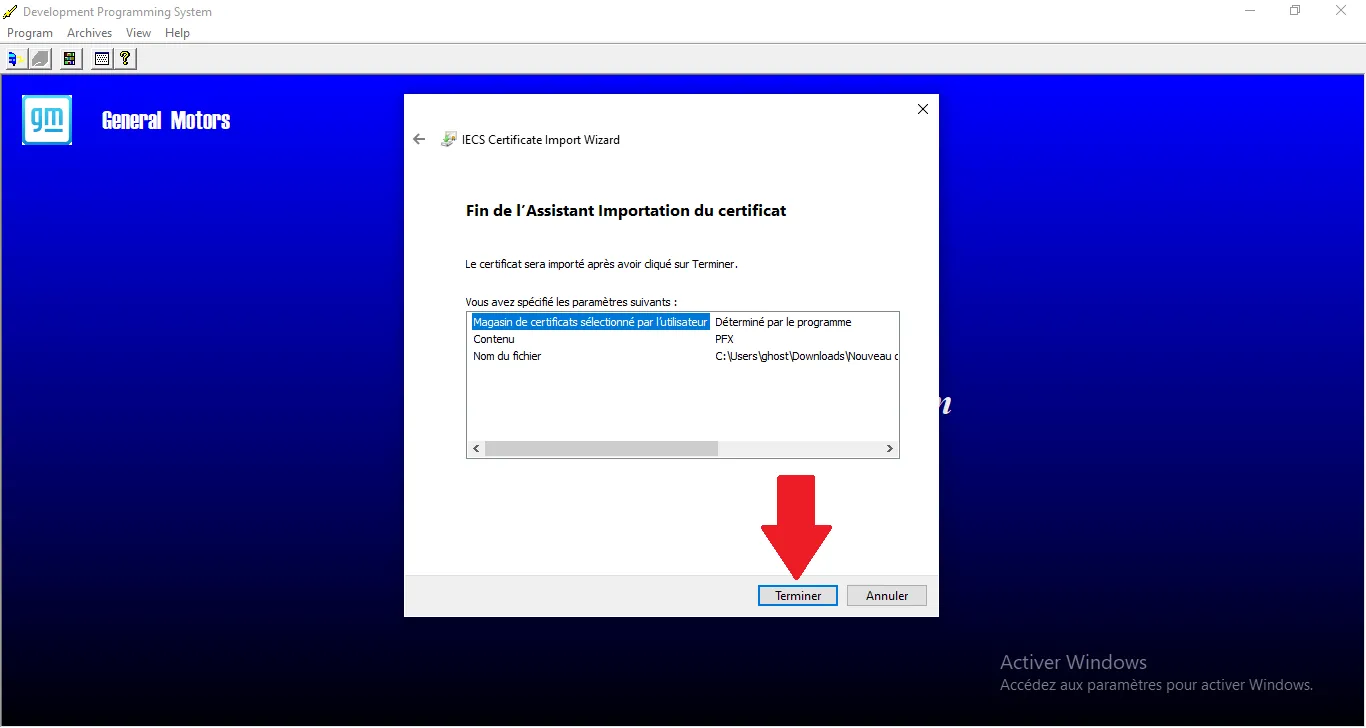
Finish import
Last step of the wizard, click Finish.
Step Visual Reference
24
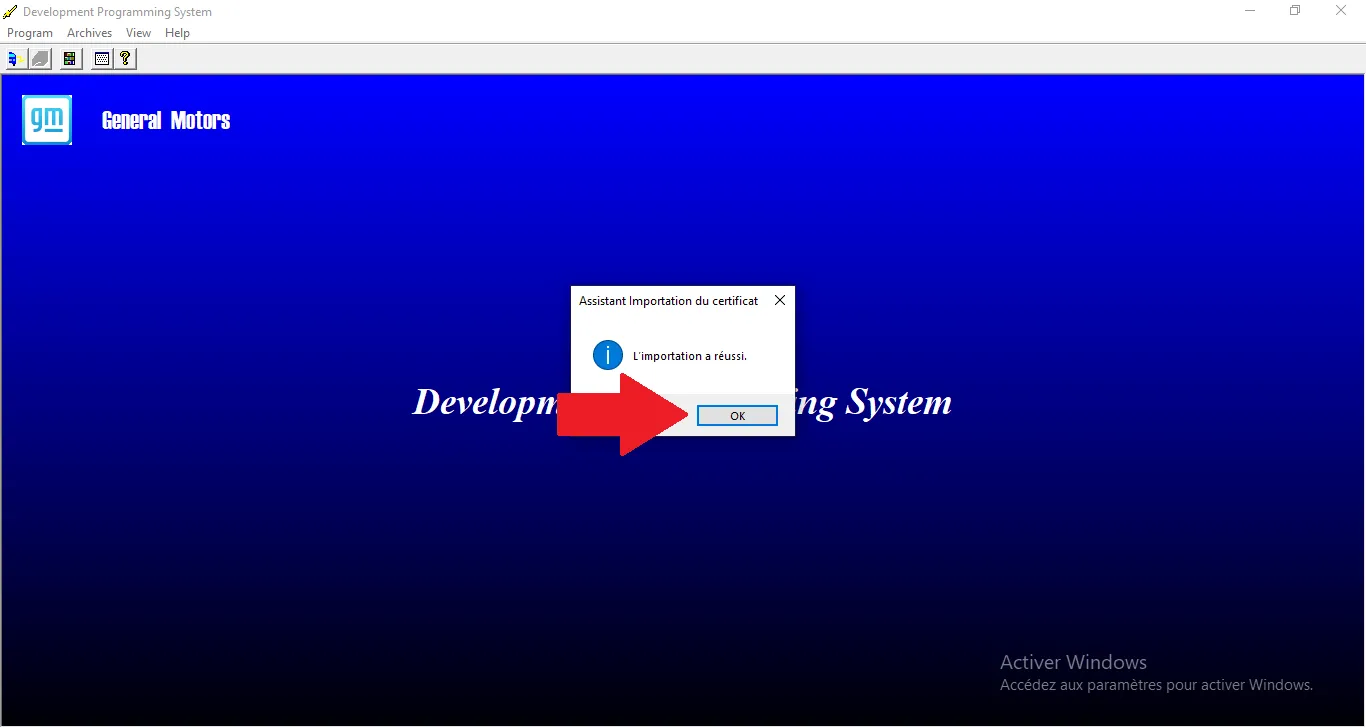
Import successful
Certificate addition confirmation, click OK.
Step Visual Reference
25
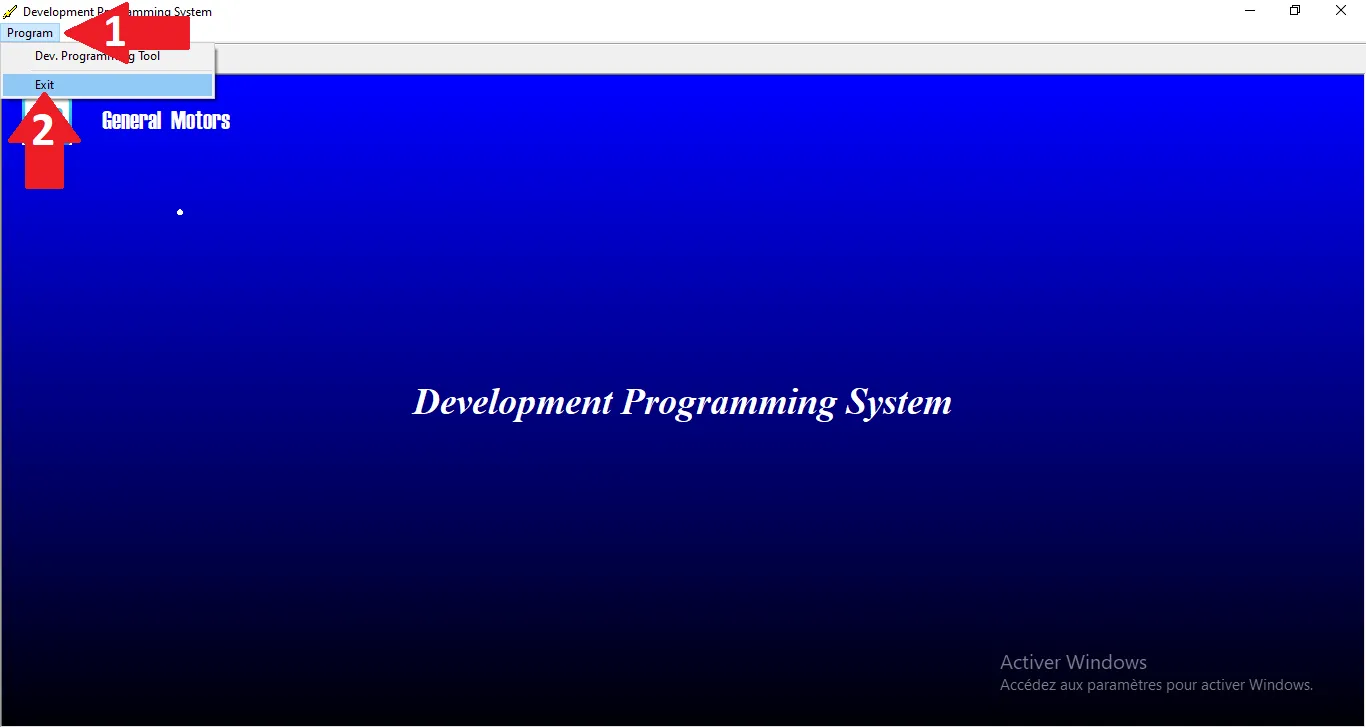
Restart DPS
Click Program then Exit to close and apply.
Step Visual Reference
26
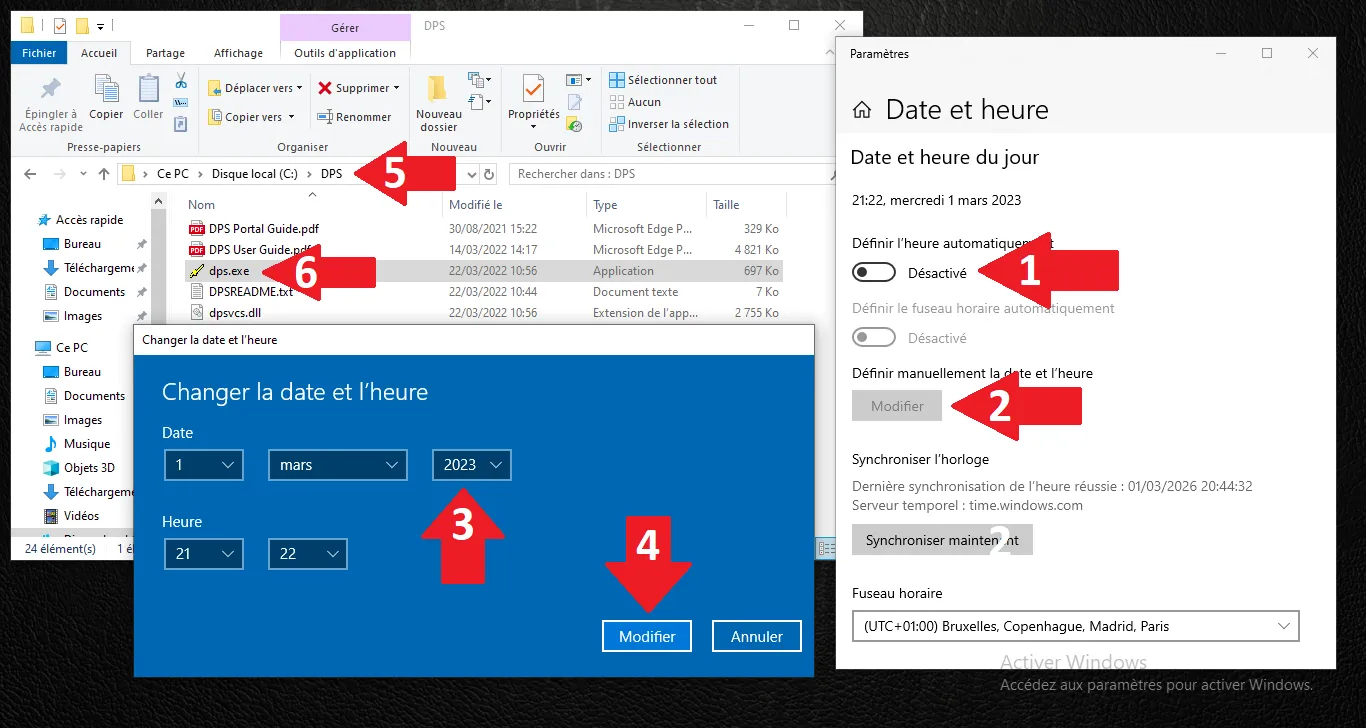
Date check
ALWAYS check date (< 2024) before launching DPS.
Step Visual Reference
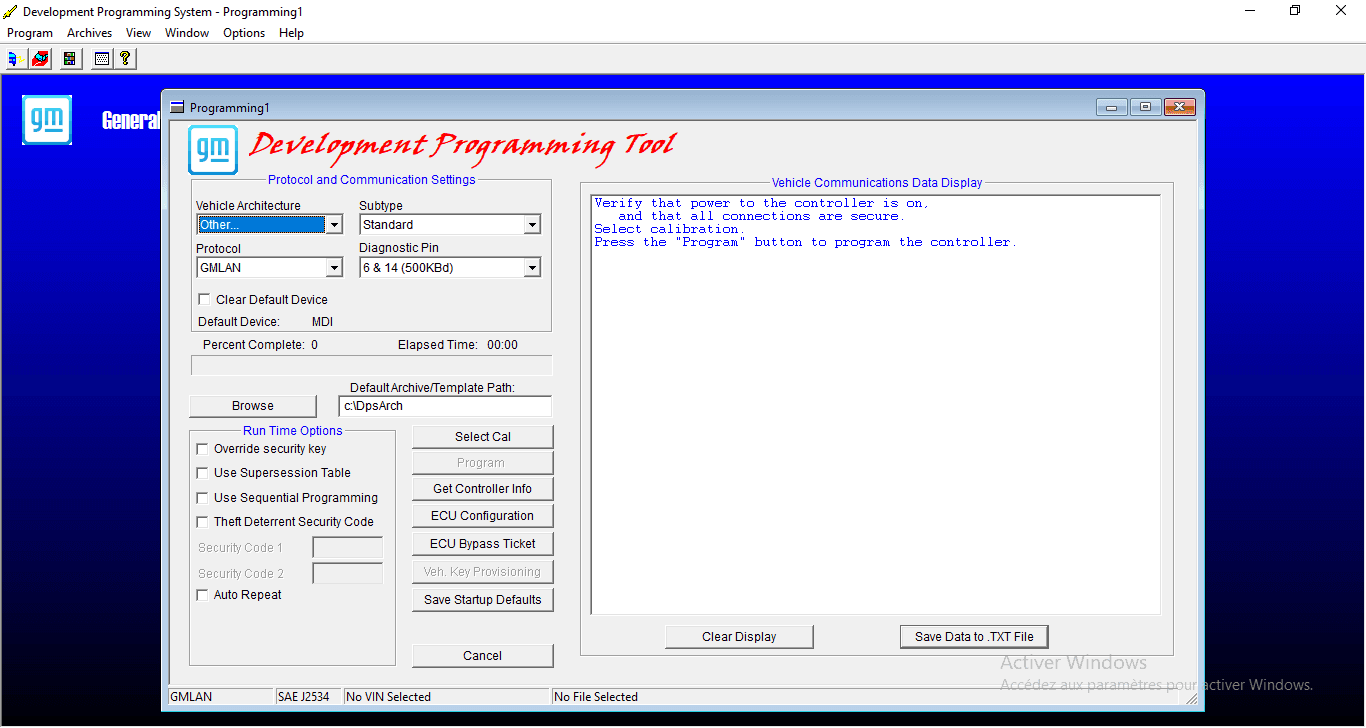
27
Final validation
The main interface is ready for operations.
Step Visual Reference