
Windows XP Pro for Saab
Download Resource
Direct access to associated archives and software.
Technical Procedure
Windows XP Pro for Saab
Windows XP is the historical backbone of the Saab electronic workshop. While most tools (WIS, EPC, GlobalTIS) can run on Windows 7 (32-bit) or through specific configurations on newer systems, Windows XP remains the reference environment to eliminate compatibility variables.
Using a Windows XP virtual machine is the recommended method for beginners: it allows you to validate your technical chain (VCI interfaces, legacy 16/32-bit installers) on a stable, proven foundation. Once functionality is confirmed here, troubleshooting becomes much easier if you decide to attempt an installation on a more modern OS.
Note: Ensure you have followed the virtual machine preparation guides listed at the bottom of this page before proceeding with local activation.
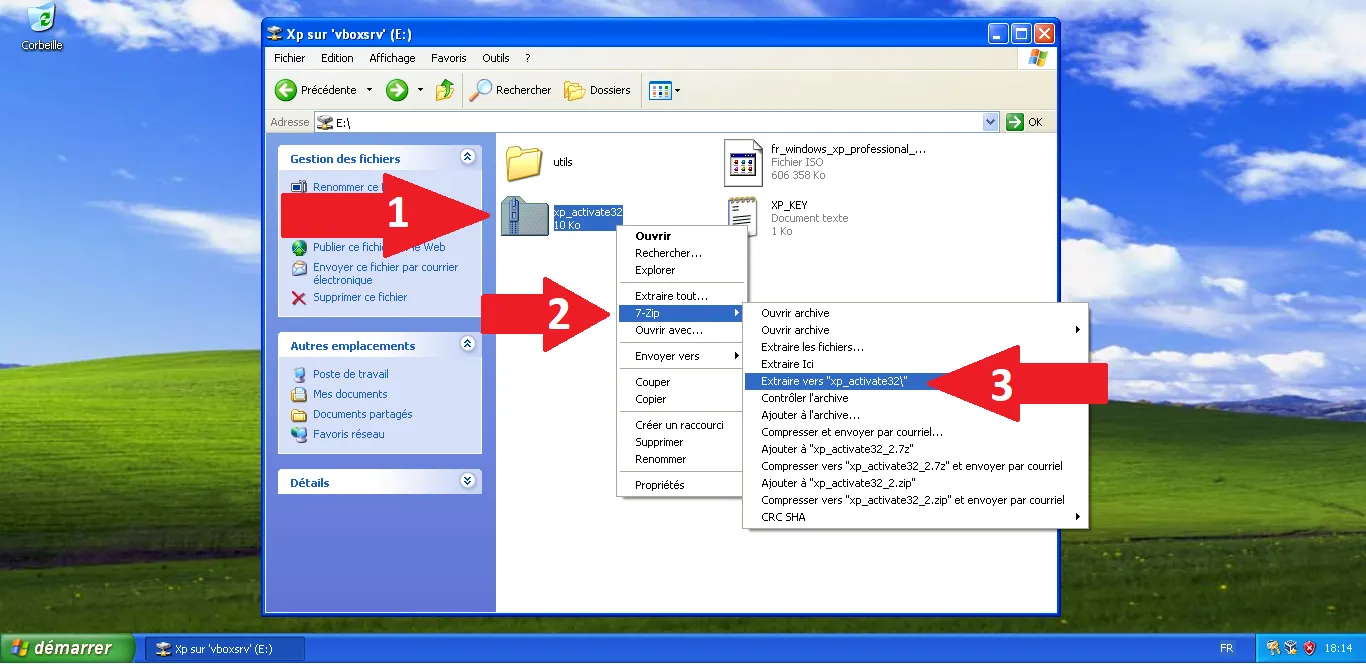
Extract the tool
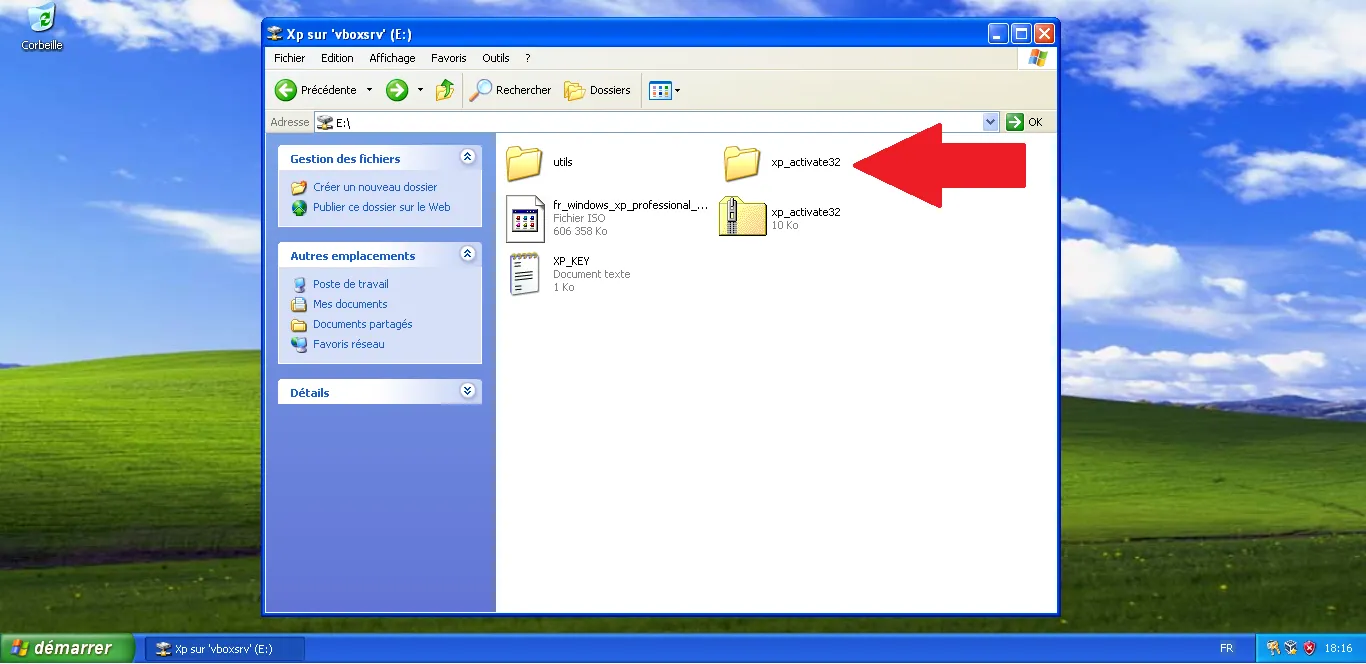
Access the folder
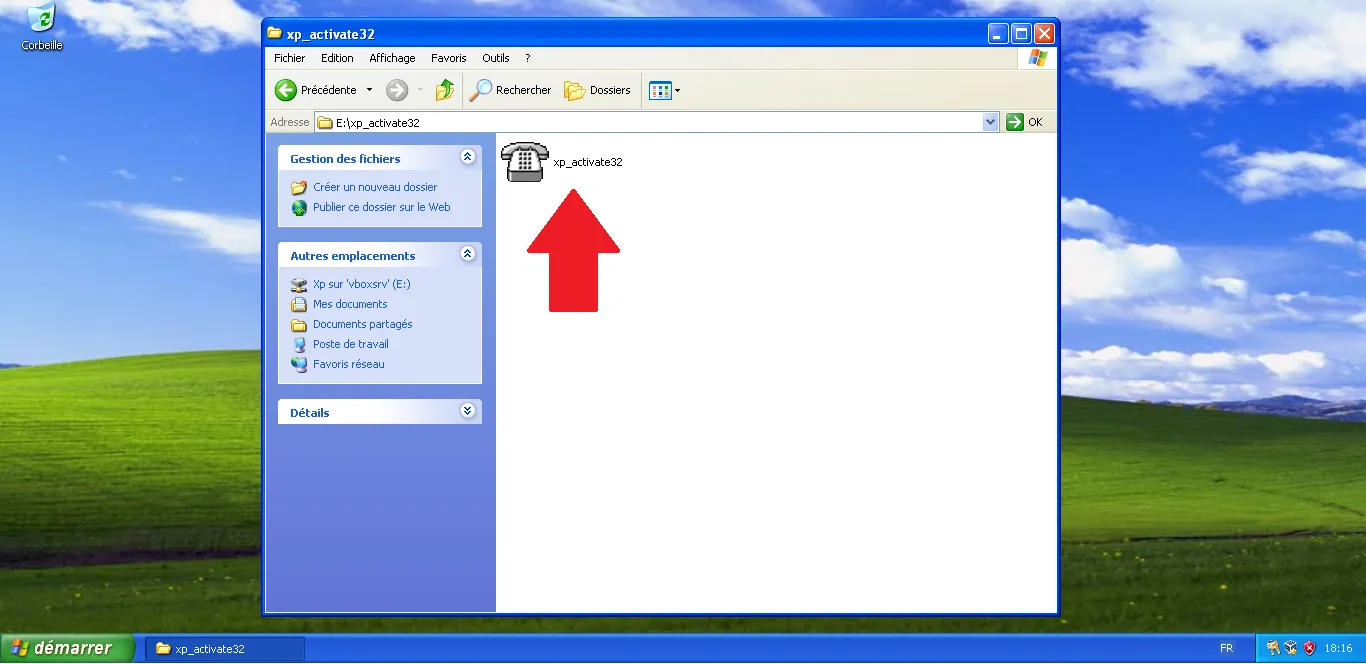
Run the program
Activation window
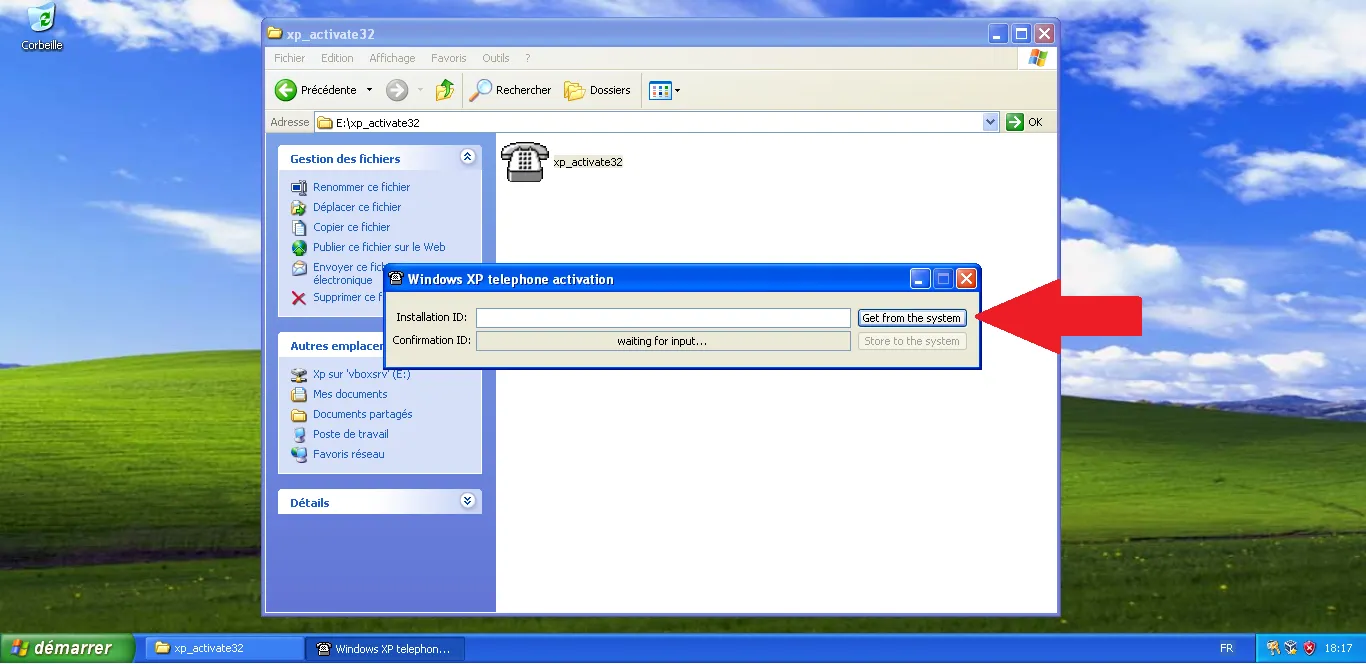
Enter codes
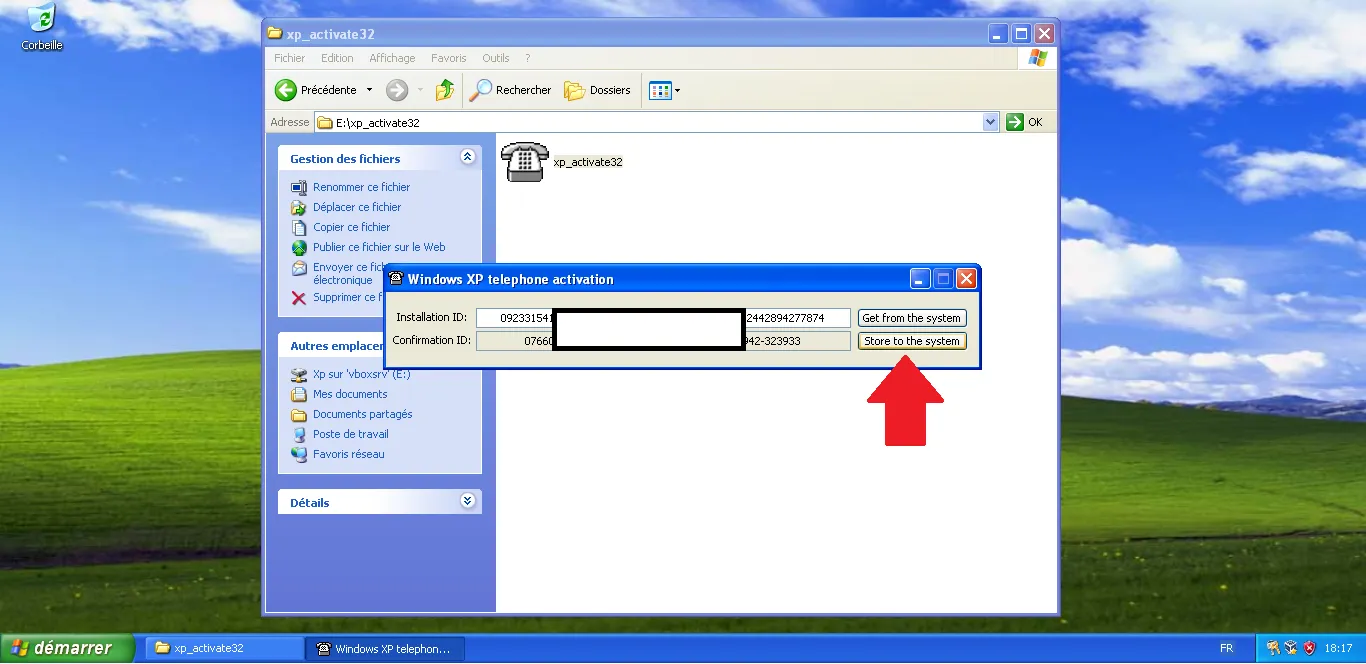
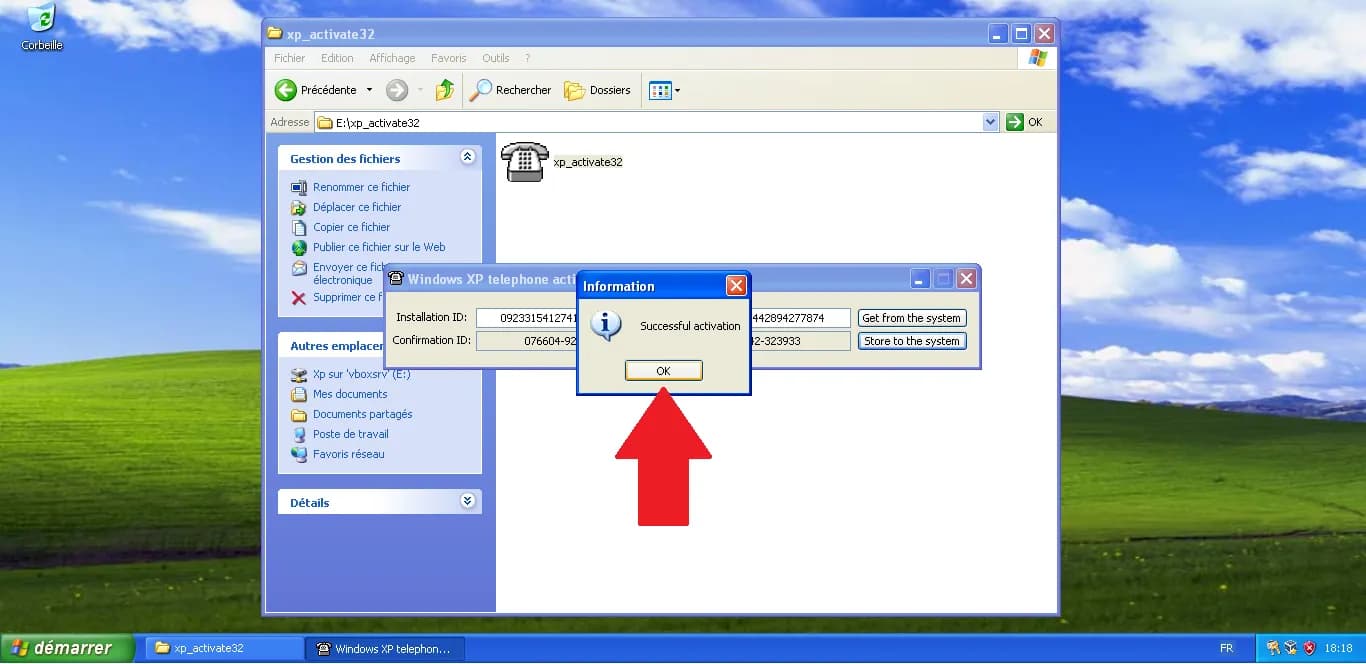
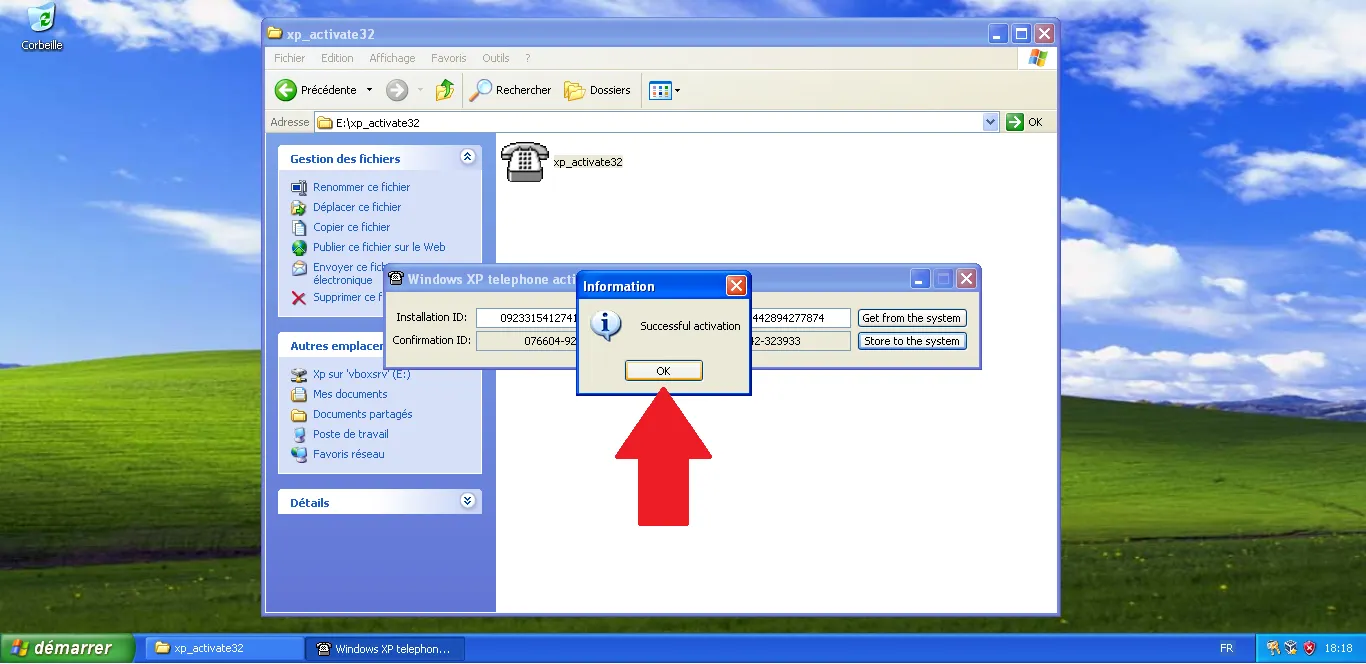
Successful activation
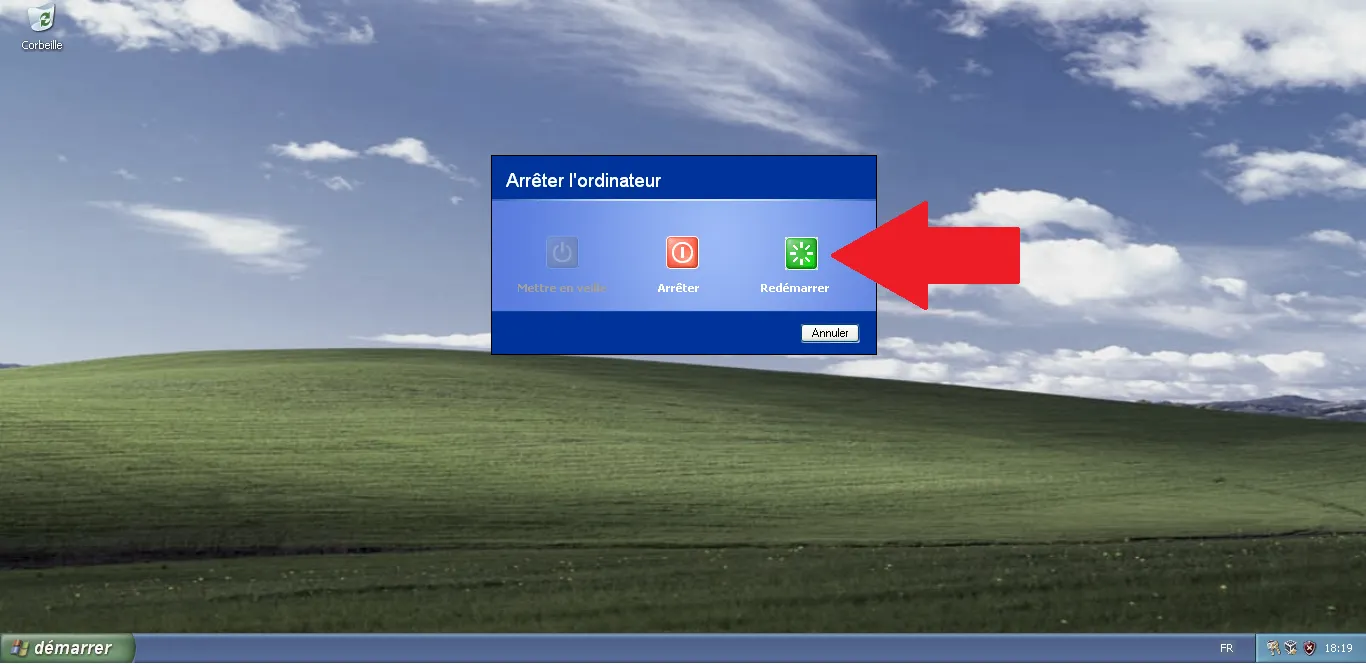
Prepare restart
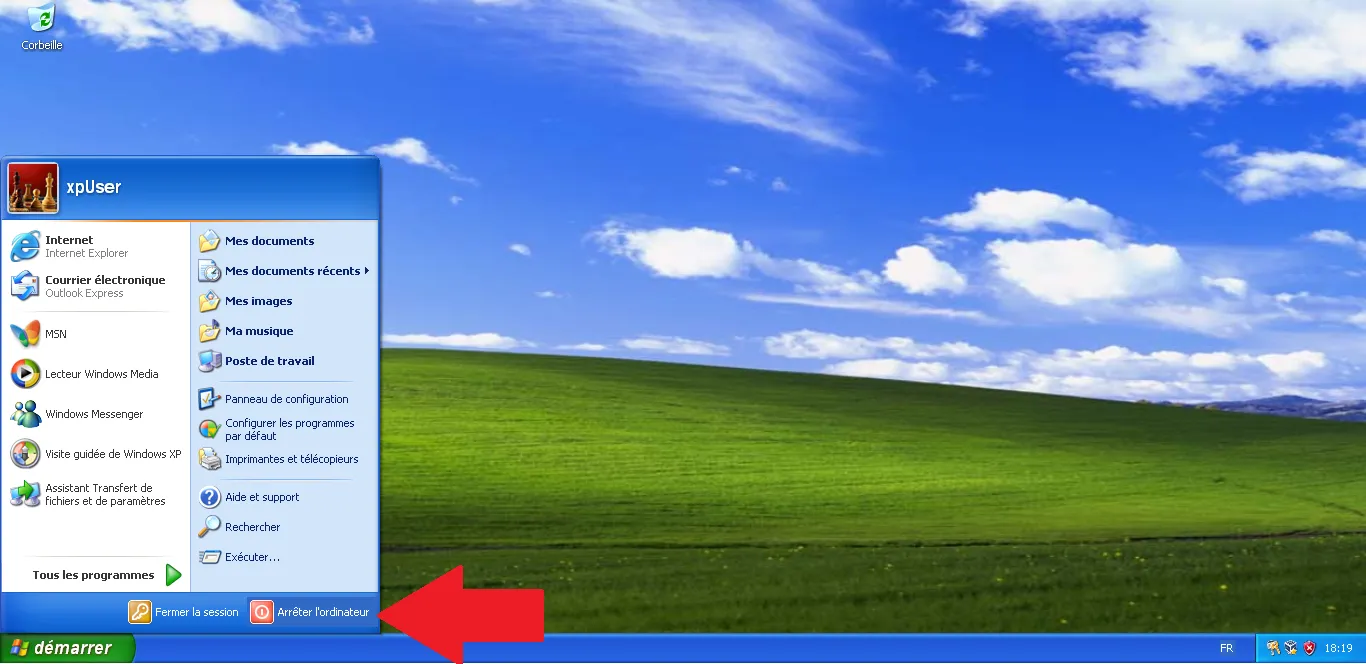
Restart the VM
Related articles
Check these guides to set up your workshop environment step by step.
Comments
0 Comments